Hyperion Game Launcher
A downloadable Hyperion Game Launcher for Linux
Hyperion is a Linux game launcher focused on running Windows titles with Wine and community Proton tools through a single desktop interface.
It helps you manage manually added games, organize your library, choose compatibility runners, inspect logs, adjust launch settings, and work with Proton and Wine environments without doing everything from the terminal. Hyperion also includes tools for dependency checks, environment configuration, sandbox-related options, metadata handling, and Proton version management for advanced users who want more control over their setup.
Current support is centered on manual games, Epic-based workflows, GOG-style setups, and custom launcher use. Steam-related workflows are still experimental and should be treated as work in progress.
Hyperion does not bundle Steamworks binaries or ship Valve Proton inside the app package. It works with the user’s own local setup and can integrate with community compatibility tools such as GE-Proton where available.
This project is aimed at Linux players who want a cleaner way to launch, organize, and troubleshoot non-native games from one place.
Main Features
1. Game Management System
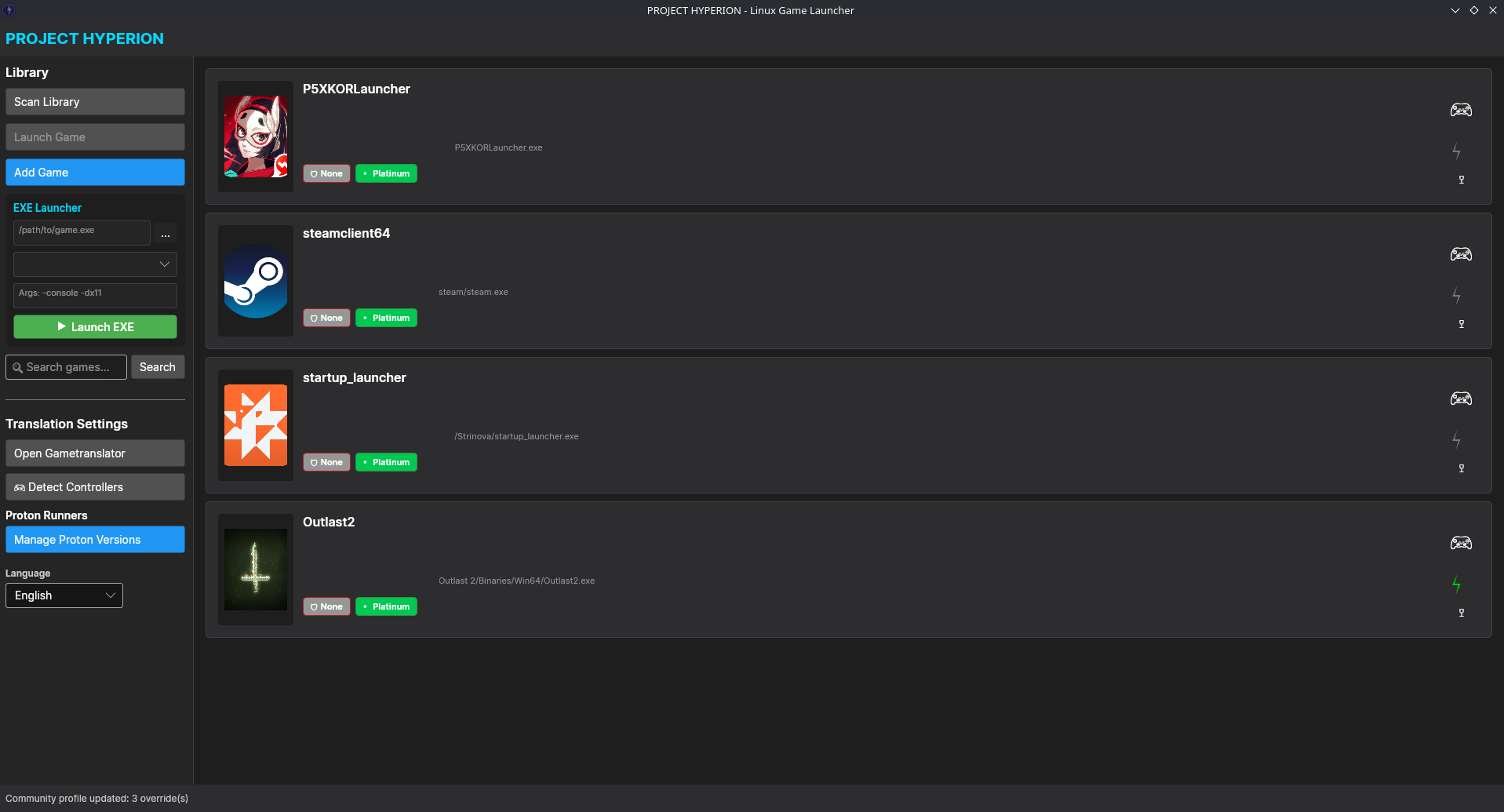
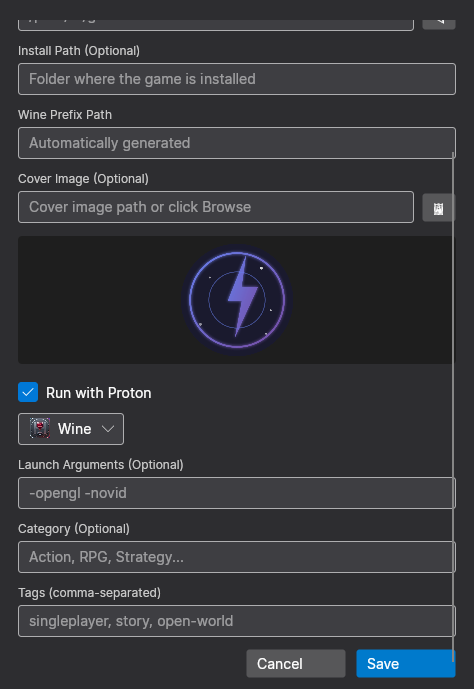
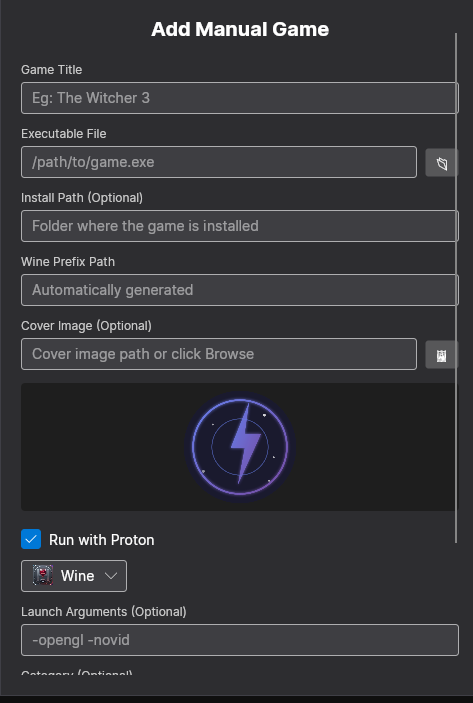
✅ Manual Game Entry: ManualGameEntryView for adding games manually.
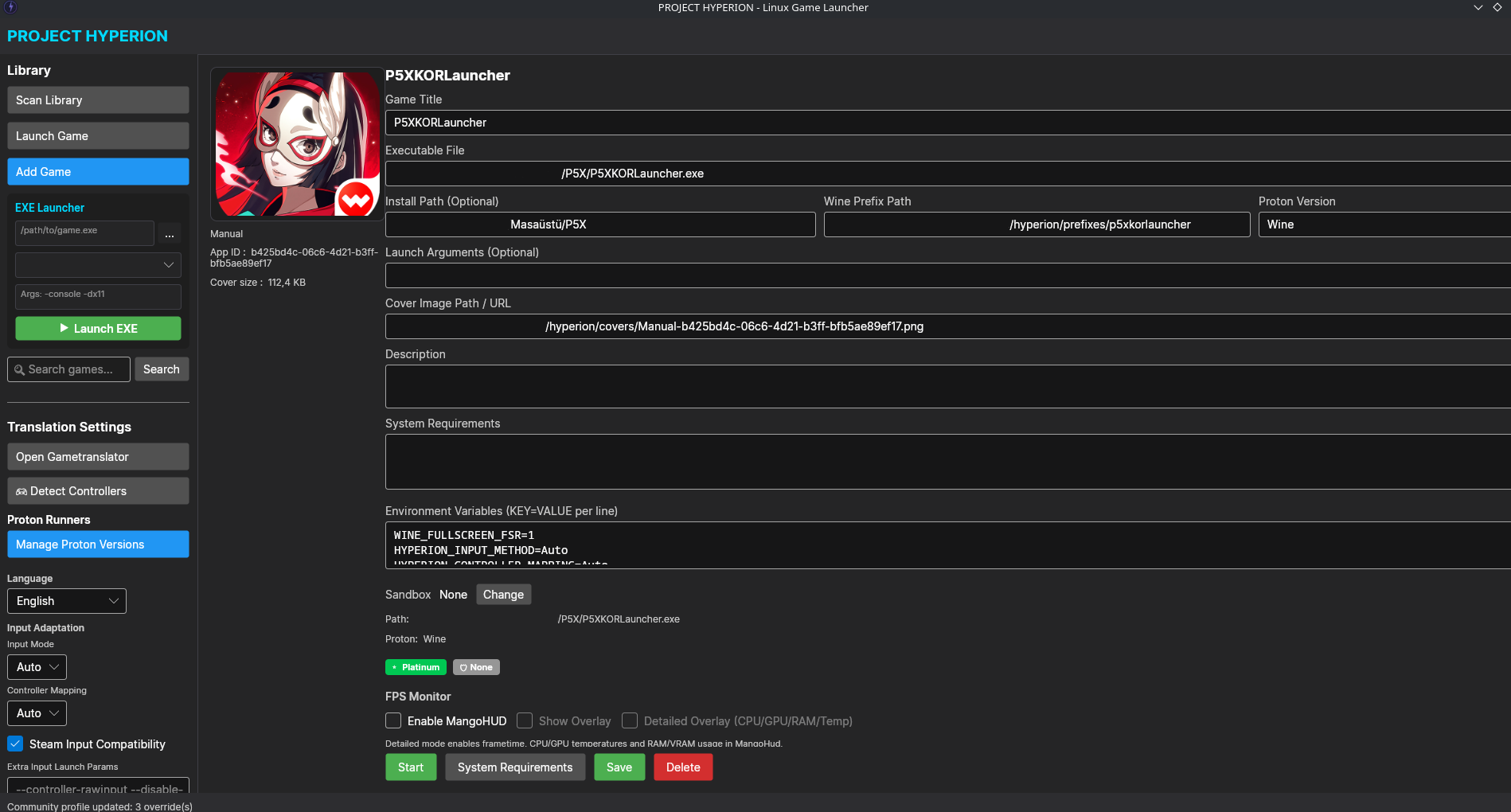
✅ Game Details View: GameDetailWindow displaying cover art, description, and playtime.
✅ SQLite Database: All game data stored locally in a SQLite database.
✅ Auto Cover Image Fetching: Icons and cover art extracted directly from .exe files.
2. System Tools
✅ Dependency Manager: DependencyManagerViewModel
Detects missing libraries.
Provides installation suggestions.
✅ Sandbox Configuration: SandboxConfigViewModel
Configures game isolation settings.
Manages security levels.
✅ Environment Variables: EnvironmentVariablesViewModel
Per-game environment variables.
PATH management.
✅ OpenSSL Fix Tool: Tools
Resolves TLS/SSL certificate issues.
3. Performance Monitoring
✅ FPS Overlay: FpsOverlayView
Displays in-game FPS.
Shows CPU and RAM usage.
✅ Performance Monitor: PerformanceMonitorService
Monitors system resources.
Analyzes game performance.
✅ MangoHud Integration: Adds MangoHud to game launch commands for real-time stats.
🛠️ TECHNICAL FEATURES
4. Database & Storage
✅ SQLite: Relational database (Microsoft.Data.Sqlite).
✅ LiteDB: NoSQL document database.
✅ Database Migrations: Schema management.
✅ ORM Support: Abstraction for database operations.
5. Game Launching (Launcher)
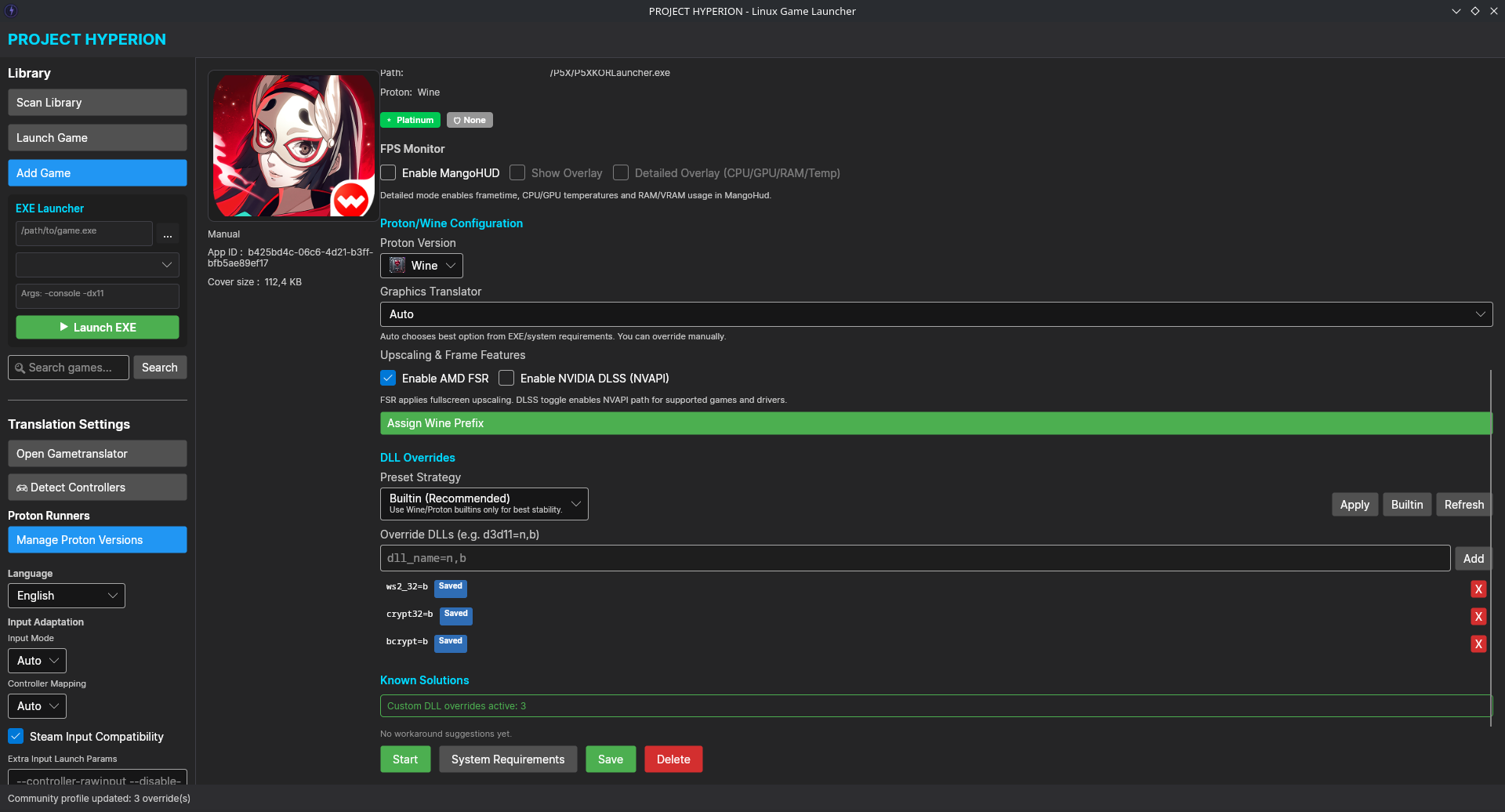
✅ Proton Integration
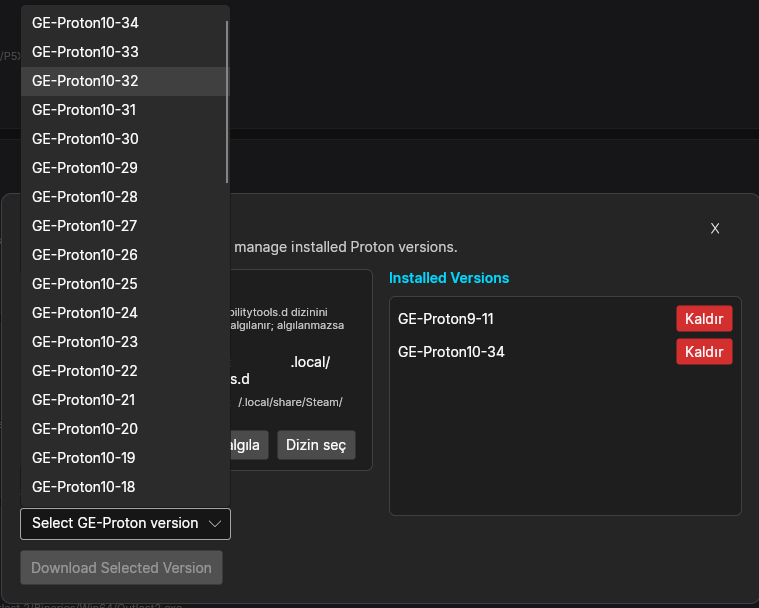
Automatically downloads Proton-GE versions.
Supports Wine-GE.
Version management.
✅ GameLaunchOrchestrator:
Handles game launch logic.
Sets environment variables.
Uses Proton wrapper.
✅ Helper Client: Controls games via D-Bus.
✅ Wine Prefix Management: Manages virtual drives.
✅ MangoHud Wrapper: Displays performance metrics.
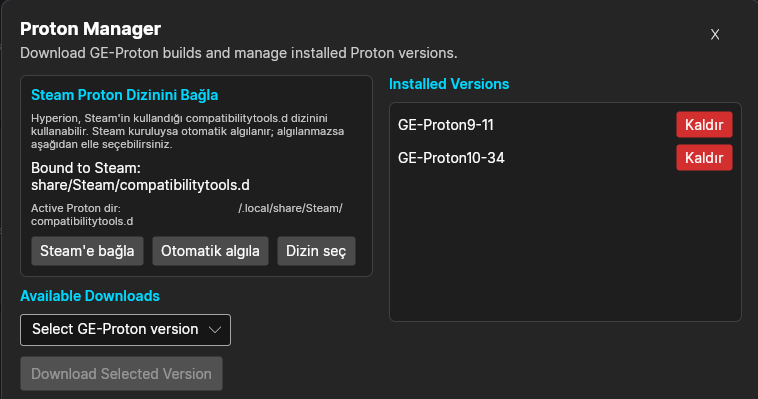
6. Proton Manager
✅ Auto-Download: Downloads versions via GitHub API.
✅ Version Comparison: Detects the latest version.
✅ Installation: Installs to ~/.steam/steam/compatibilitytools.d/.
✅ Removal: Deletes specified versions.
✅ Disk Space Check: Verifies free space before downloading.
7. Setup Wizard
✅ Step-by-Step Installation: WizardViewModel.
✅ Game Source Selection: Manual or automatic.
✅ Auto-Detection: Finds installed games.
✅ Playability Report: Tests game compatibility.
🎨 USER INTERFACE
8. Modern Design
✅ Fluent Design: Windows 11-style UI.
✅ Dark Theme: Primary color #121212.
✅ Responsive Layout: Adapts to various screen sizes.
✅ Animations: Hover effects and transitions.
✅ Modern Card Design: Rounded corners and shadows.
9. Detail Windows
✅ GameDetailWindow: Game details view.
✅ TranslatorWindow: Translation interface.
✅ TranslatorOverlayWindow: Small overlay window.
✅ ManualGameEntryView: Manual game entry.
✅ SandboxConfigView: Sandbox settings.
✅ EnvironmentVariablesView: Environment variables.
10. Overlay Windows
✅ FPS Overlay: Displays FPS over the game.
✅ Customizable: Position, opacity, font size.
✅ Mini Overlay: Minimal view option.
🌐 LANGUAGES & LOCALIZATION
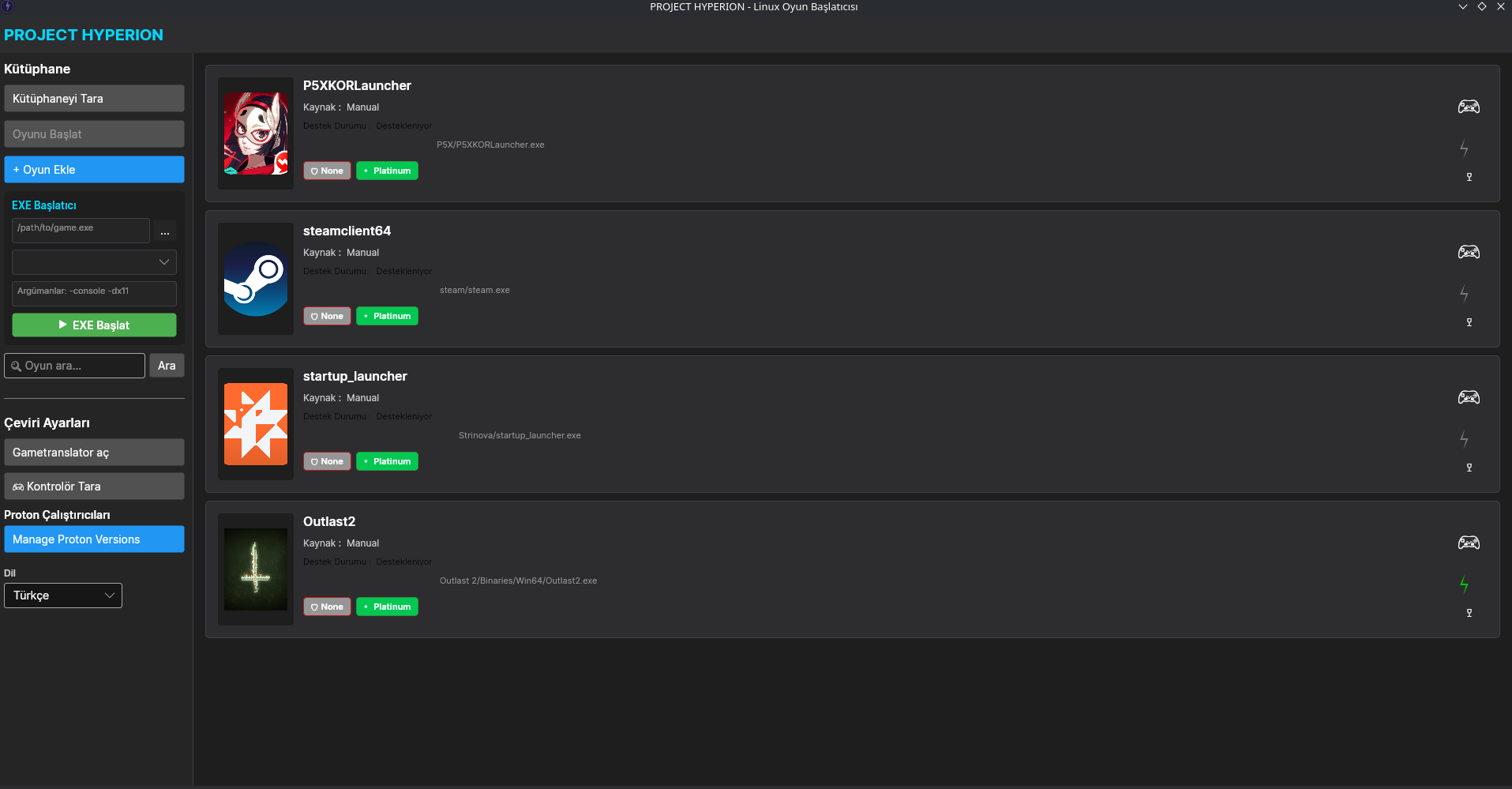
11. Multi-Language Support
✅ LocalizationService: Language management.
✅ Dynamic Language Switching: Change language on the fly.
✅ Language Selector: Dedicated UI for language management.
🔧 SYSTEM & REQUIREMENTS
12. System Requirements
✅ .NET 8.0: Runtime requirement.
✅ Linux x64: Native support.
✅ GTK3: UI library.
✅ OpenGL/Vulkan: Graphics acceleration.
13. Library Checks
✅ libvpx: Video codec.
✅ libwebp: WebP image support.
✅ libFLAC: Audio format support.
✅ libbz2: Compression.
✅ libcrypto/openssl: Security.
✅ GStreamer: Media playback.
14. Cross-Platform
✅ Linux Native: Fedora, Ubuntu, Arch, Mint, etc.
✅ Wayland Support: Modern display server.
✅ X11 Support: For older systems.
✅ ARM64 Support: Raspberry Pi and ARM devices.
📦 DISTRIBUTION & INSTALLATION
15. Installation Methods
✅ install.sh Script: Automated installation.
✅install-all-libraries.sh Script: Automatic library file installation
🔐 SECURITY & PRIVACY
16. Security Features
✅ Sandbox: Game isolation.
✅ Environment Variable Management: Secure variable handling.
✅ User Data Privacy: Personal data is protected.
✅ Permission Management: Minimum required permissions.
Download
Install instructions
Place the downloaded file into the folder using the CD extracted from the archive, and enter the following code.
bash install-all-libraries.sh installation will start
Development log
- Hyperion Game Launcher V0.1.015 hours ago

Leave a comment
Log in with itch.io to leave a comment.