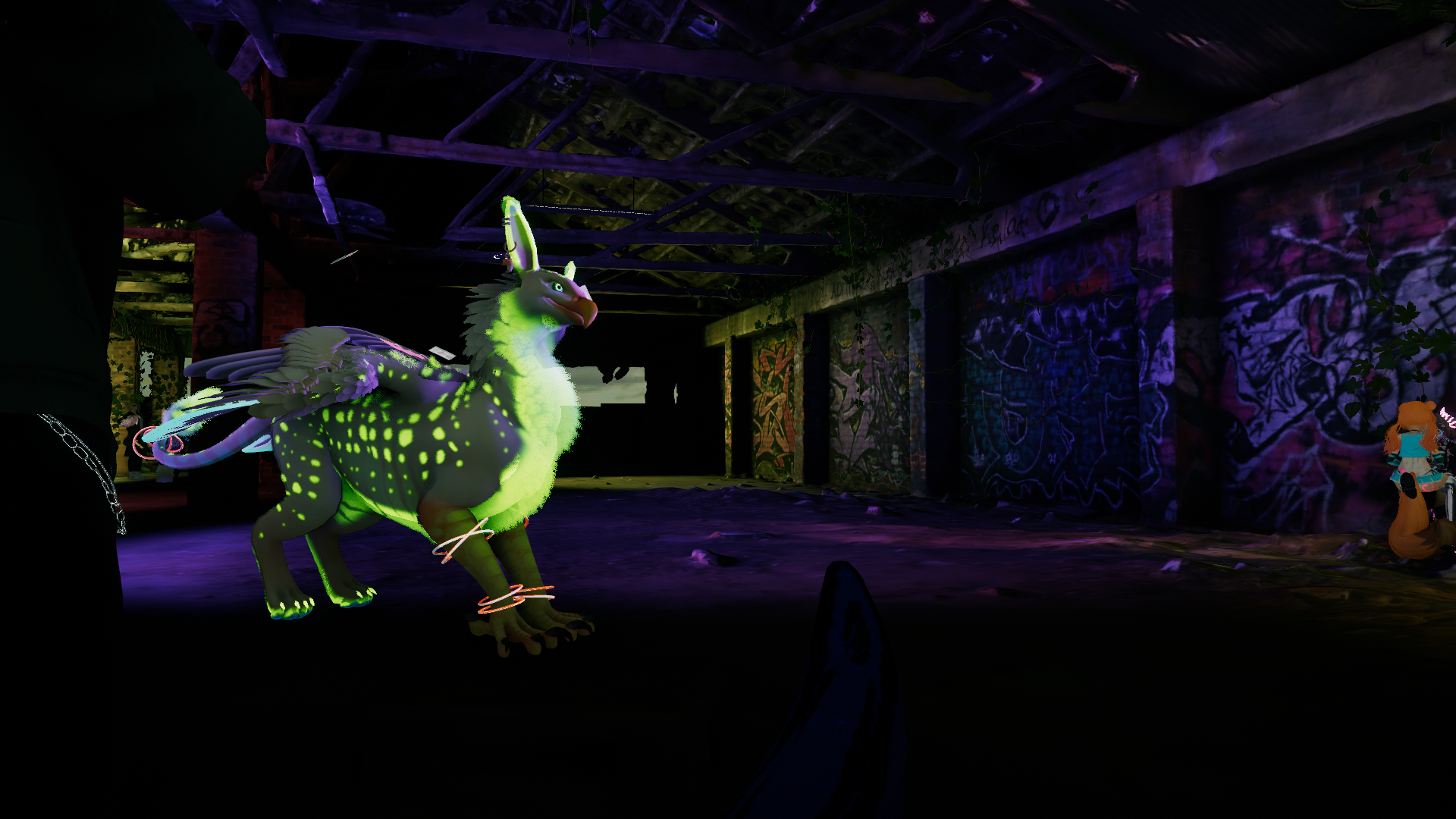
Fluffy Gryphon - FBT Quadruped Avatar for VRChat! CROSSPLATFORM!
A downloadable gryphon
Includes Substance Painter .spp, all set up for painting! Plus .psd export - NEW!
Requires VRCFury!
VRCFury: https://vrcfury.com/download
Make sure VRCFury is installed BEFORE you install my .unitypackage, or you'll have to reinstall my .unitypackage once you've installed VRCFury! :)
IN ADDITION: this project does not play well with others! I recommend you quarantine these gryphons into THEIR OWN PROJECT, because this project will OVERWRITE the following list of things, with its own (likely out-of-date) versions:
Final IK Stub: https://vrlabs.dev/packages/?package=dev.vrlabs.final-ik-stub
Raycast Prefab: https://github.com/VRLabs/Raycast-Prefab
Facetracking: https://adjerry91.github.io/VRCFaceTracking-Templates/
Warren's Fast Fur Shader: https://warrenwolfy.gumroad.com/l/atntv
normalizedcrow's Feathers and Fur Shader: https://normalizedcrow.gumroad.com/
Poiyomi Toon Shader: https://github.com/poiyomi/PoiyomiToonShader/releases
It also depends on THIS, which is not included:
Light Volumes (for the included Purpzie's-mod-of-normalizedcrow's-Feathers and Fur shader): https://redsim.github.io/vpmlisting/
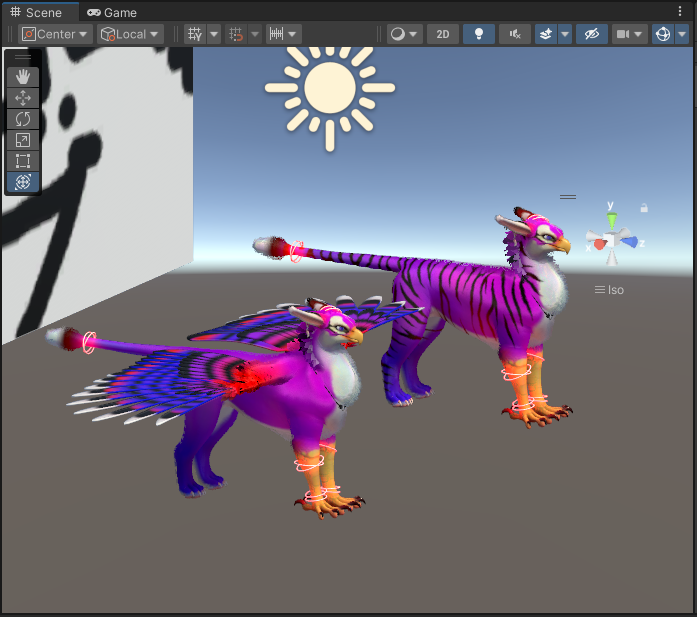
The Fluffy Gryphons are now CROSSPLATFORM!
Pros: Wingless crossplatform gryphon is PC Good/Quest Medium! Winged crossplatform gryphon is PC Good/Quest Poor! They also use GoGoFly (https://franadavrc.gumroad.com/l/gogofly)!
Cons: Their feathers did not fit within the limitations of Quest polycount. Crossplatform gryphons have been plucked.
Tester public PCVR avatar at https://vrchat.com/home/avatar/avtr_44fabd6d-cc40-4ed7-9968-2e7c3316d6d8 !
Tester public Crossplatform avatar at https://vrchat.com/home/avatar/avtr_600c7299-83db-4495-a9e8-3bf2f083d601 !
-
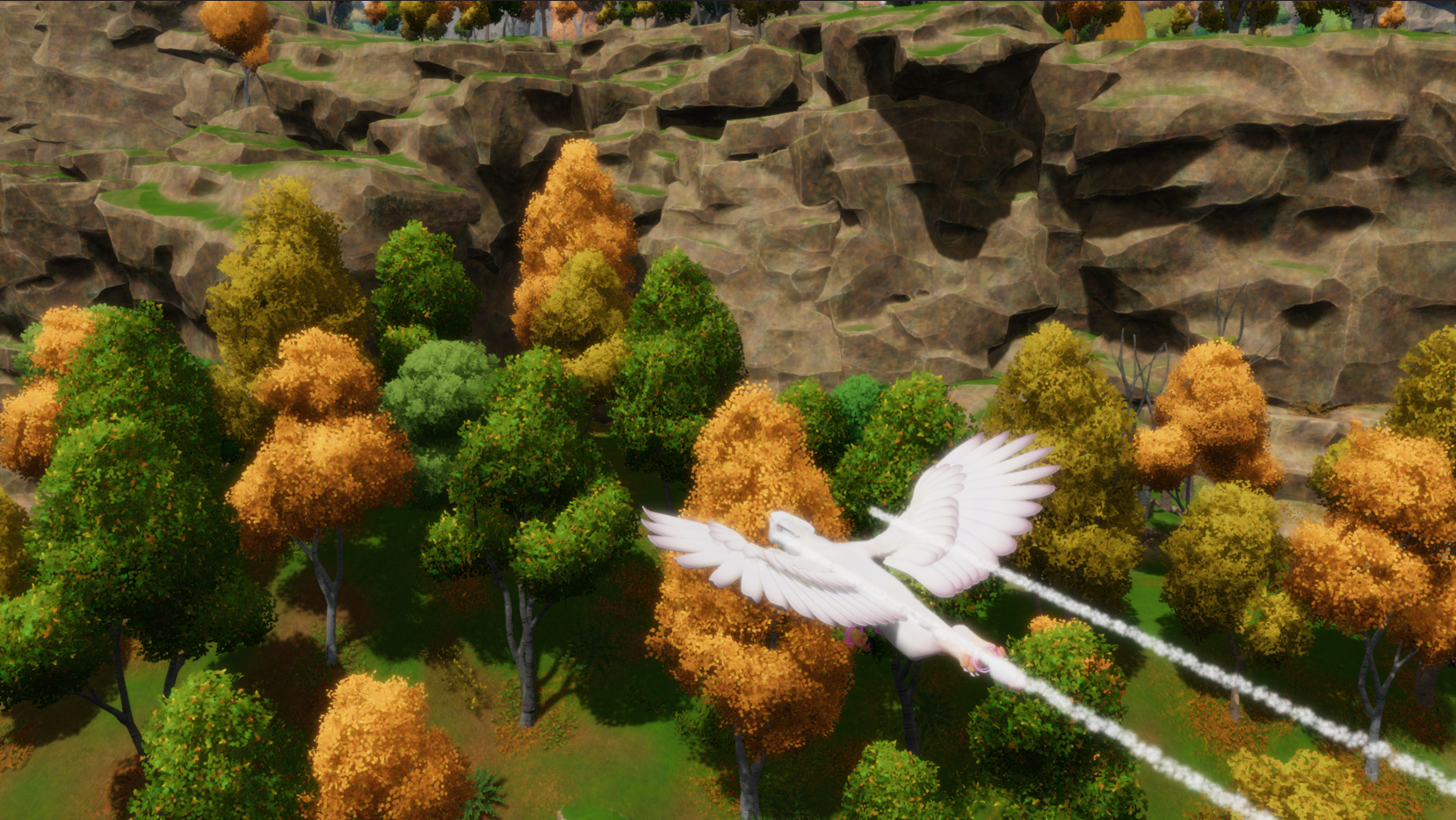
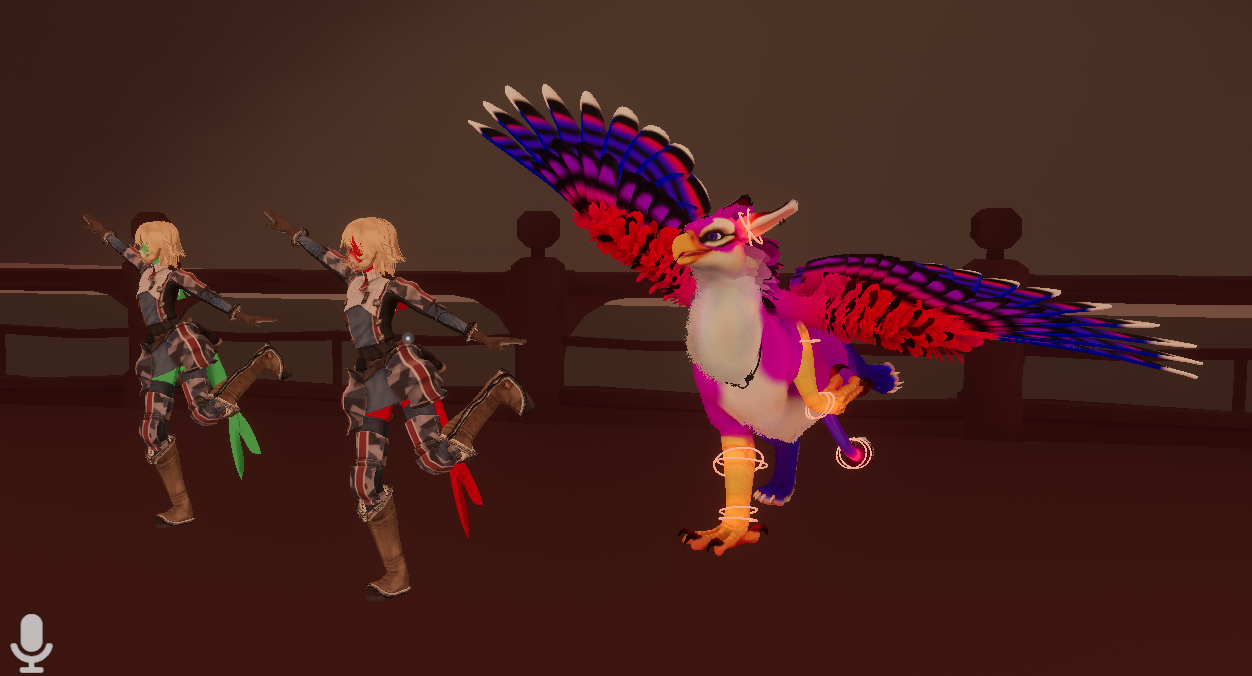
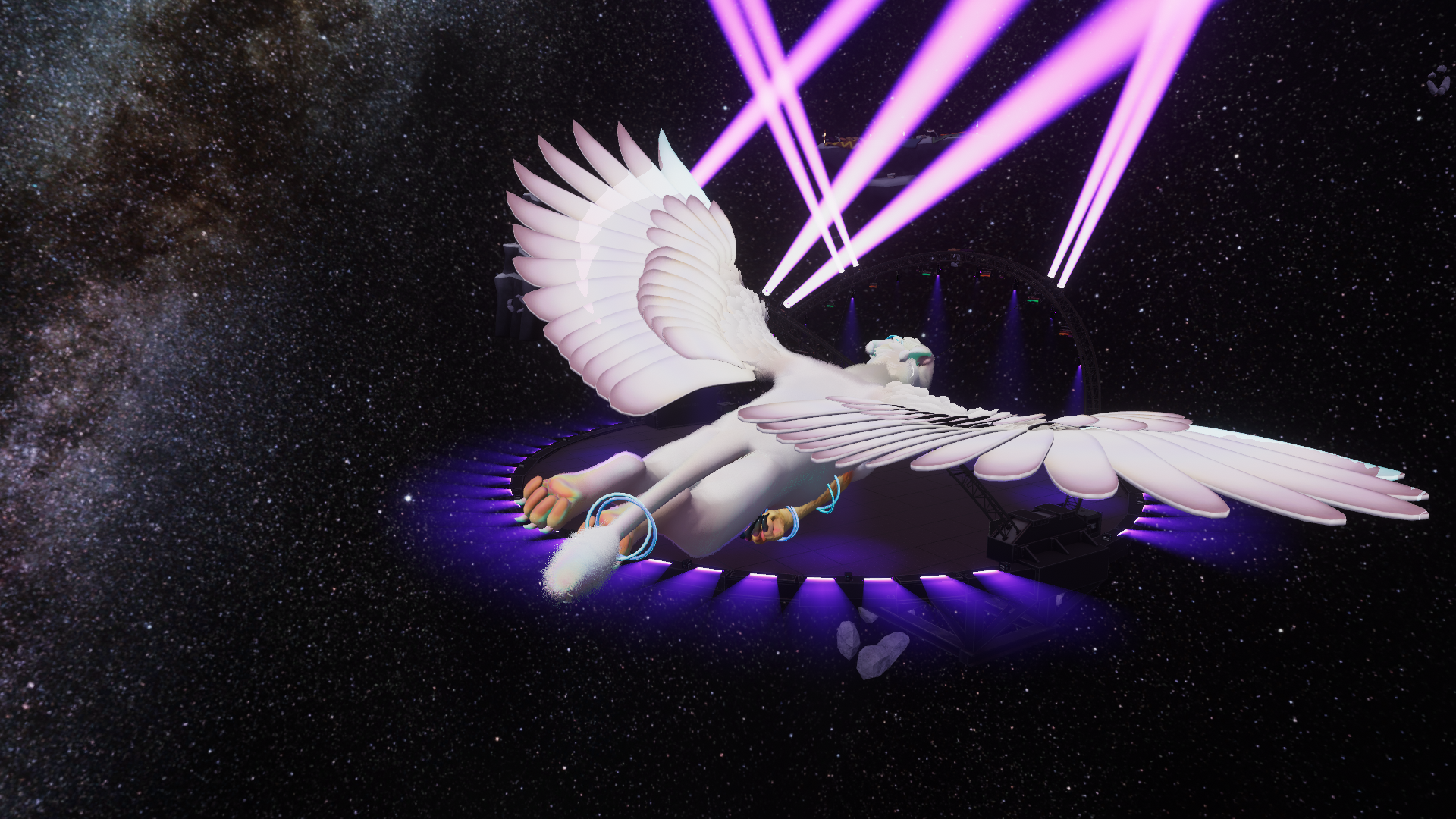
Designed for standing around in fullbody, this quad rig also shines in 3-point, and comes with tons of dances, VRChat's default emotes, and some custom poses for a little extra desktop expression! Shrink into a tiny hovering gryphon and wave your foreclaws around, soar in a special OpenFlight compatibility mode, give rides to friends, puppeteer your head by pulling it off your shoulders, sparkle on with AudioLink, GET PETTED with Warren's Fast Fur Shader, and MORE!
A Substance Painter file is included, plus, for everybody out there who doesn't use it--the gryphon's main UV atlas is SYMMETRICAL! Woohoo!
If you want to use Fara's Eye Generator in your Substance file, go buy it from Fara, unzip it and drag the .sbsar into your Assets pane, etc., then change the Eye Generator's "Physical Size" to 1.75cm (width and height), and its Offset to (0.168374, -0.436967) for one eye and (-0.168374, -0.436967) for the other. You can use it just like that, or get in deeper in Parameters > Pupil and change Size X and Size Y to 0.47.
---
Terms of Service:
If you own the model, you may commission others to work on it, as well as take paid comms involving it or sell paid add-ons/upgrades to it (e.g. a saddle, kitbashing something else’s head on it, using its head on something else, etc). Just make sure everyone involved owns it too. Oh, and you can upload Public versions of the avatar on VRChat! Totally fine.
In addition, so long as you own it, you may use it in your own work and as part of your own projects, so long as you in good faith believe the model itself represents no more than half of your finished product/you're putting a ton of your own work in on it (re-rigging, etc). Basically, if you need a gryphon for some reason, especially if it doesn't involve VRChat--you can go ahead and use this one! I don't mind. :V Thanks for buying it!
---
Credits:
THANKS PURPZIE! \o/ As of 09.23.2025, the project is currently using modified versions of her folded wing poses!
You can enjoy a public FINAL IK VERSION, forked for fun by Purpzie, of this model here: https://vrchat.com/home/avatar/avtr_398aaafe-14f0-45a1-8b0e-fdf821d5dbb3
Purchase
In order to download this gryphon you must purchase it at or above the minimum price of $45 USD. You will get access to the following files:
Development log
- FBT Root Mismatch Fix!82 days ago
- Patch 16 - Scale-insensitive IK and better headchopNov 11, 2025
- Patch 15 - Quest headchop fix!Nov 09, 2025
- PSD Update!Nov 06, 2025
- Patch 14 - SO Much Going On With This OneNov 03, 2025
- Patch Lucky 13 - OpenFlight Neck Posture ImprovementOct 24, 2025
- Patch 12 - Bugfixes/polishing. Final update??Oct 20, 2025
- CROSSPLATFORM UPDATE! PCVR Good and Quest Medium/Poor!Oct 20, 2025
Comments
Log in with itch.io to leave a comment.
Hello, excuse me for the inconvenience. I bought this beautiful avatar, but there’s an issue: I’m unable to fly. Could I please get some help? XD
That’s weird; you can always try Purpzie’s fork? VRChat did make some changes recently and I haven’t checked how/whether they affect my system. You’re toggling Collider Flight and jumping while running forwards and looking straight ahead or a little up? Open Flight is just an alternate animation set for worlds that have Open Flight in them, it doesn’t actually make you fly.
Love this avatar! Been playing with the blendfile to get a bit of a chunkier gryphon, though it doesn't seem that the modified blendshapes want to apply in the FBX when reuploaded. (I modified both of the fat sliders.) Is there something I need to do for it to recognize that?
Yep, sorry, it’s due to the mesh being “baked” for feathers with normalizedcrow’s shader. You’ll have to check their Discord for precise instructions… you can use the existing blendshape sliders directly in Unity, though some are controlled via animation (“Body Condition” under… wherever that is).
iirc you have to go to the model in the Scene and point its Body mesh back at its original Body mesh from its .fbx, then you’ll see your changes. Then if you want your shader feathers to work right, you’ll have to rebake your mesh in normalizedcrow’s shader…
There’s a proper way for me to make the feathers “real” so there’s no more baked mesh struggles, but it only came out recently!! I don’t understand it yet, and I’m really busy ^_^;;
Unsure where else to reach you, but was wondering when you're not busy would you take on a commission?
Sorry, I’m much too slow at modeling to take on commissions—but thank you for your interest!
Where can i find purpzie's discord? I didn't know that your version doesn't' have a fox tail, which i was really hoping for with the public version.
If you look for the long-haired fur groom (FastFur_LongHairGroom), and you apply it in the shader, and you max the tail sliders, there's a fox tail! I don't have a link to Purpzie's Discord, though. :(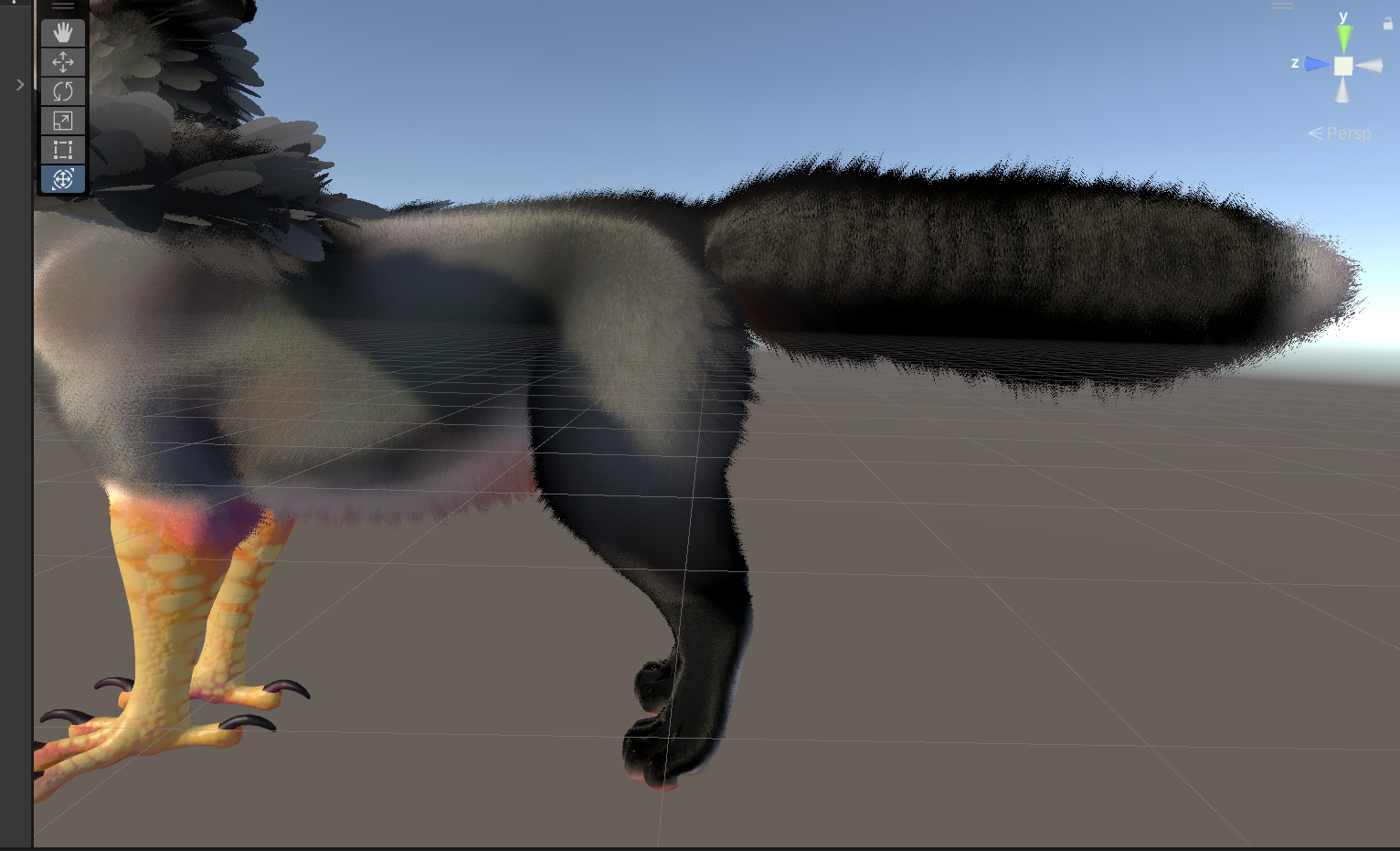
Hello, will the version of Purpzie be added too?
It is for this version that I bought your avatar.
The last I heard is that however Purpzie plans to release her project, it is going to somehow depend on this one. I believe she's still waiting on VRChat to address a bug that causes her rig unfortunate amounts of jitter in some circumstances.
For convenience, when she's finished, I do plan to either link to her assets on this page, or include a direct download of them!
Hi! I’m using your Fluffy Gryphon FBT quadruped avatar and I was wondering:
is there a recommended way to map the VR controllers (Left/Right Hand) to the front paws instead of the wings?
In the current setup, the controllers seem to be driving the wing bones.
Any guidance would be greatly appreciated. Thanks!
Yah, I’m sorry I don’t have instructions! Here’s how it works:
When you spread your hands far apart from each other, the wings will follow your hands. Your wings will stay open until you…
…fold your elbows! An easy way is to touch both hands to your shoulders. This is what folds your wings.
If you make the Rockout gesture with either hand, the front leg on that side will pick up and follow that hand! Talon clasp is controlled while a front foot is up by trigger grip strength on the OPPOSITE hand.
If you make a Fist gesture with either hand, and pass the fist Contact through your human head Contact (making a fist and pressing it to your jaw works), when the fist is moved away from your head, your gryphon head will follow it! Your gryphon neck will point along your forearm and your gryphon head will look around with your look direction, so long as you hold the Fist gesture. Trigger grip strength controls opening and closing your beak!
If your Chair is enabled while your head is following your hand like this, and then you open and close your beak, a small Chair will also show up on your gryphon’s nose. Players who get in that station will be balanced standing up on your nose. Small players get swallowed, though… (I would have put more polish on this feature, but station behavior is still really unreliable, so it’s just because I think it’s funny.)
If you enable pickup, an invisible phys bone should show up around your chest somewhere. If people grab it they’ll lift the gryphon right off you, and then they can carry it around. You stay where you are though.
In OpenFlight mode, while in Open Flight, you can make double Fists and then bring your fists closer together or farther apart. You’ll blend in and out of a landing pose based on your hands-apart distance while making double Fists. It’s just aesthetic, you still fly normally.
I think that’s it for “secret” controls!
Hello, I see that this avatar has a warning for AI code, could you explain to me what is part of it is AI generated (if it still the case in the current version) ?
This avatar is a modified AnyTaur, and I wrote a C# Unity editor script as part of the public AnyTaur base. The script automates much of the work I was doing by hand, adding constraints to all the different transforms and filling out their Sources, etc. As the script evolved, I eventually used ChatGPT to generate some of the functions doing animation keyframe handling (mostly storing and retrieving transform data for the custom poses).
Since this C# script I made has LLM code, and I used it to assemble the AnyTaur avatar the Fluffy Gryphons were then modified out of, I decided the Fluffy Gryphons should inherit that flag.
edit: AnyTaurScript.cs is still in the project somewhere, it’s first-knitted-sock tier Bad Code(tm) which makes the copy-pasted LLM stuff quite obvious. I can’t actually code and I’m not willing to learn, so it’s genuinely for the best that I’ve switched to asking ChatGPT to write my functions. x_X iirc I used the script on the Fluffy Gryphons to update their custom poses, rather than Unity’s built-in animation tools.
Hey there, been trying to unpack the gryphon into unity. I saw that you reference a read me, but for the life of me, I can't find it. Can you point this idiot in the right direction so I don't have to ask stupid questions?
I also do not know where the readme went. I think it may have been from back when the project was more complicated to use? You are ALWAYS welcome to ask gryphon questions!
I'm not a great avatar assembler, so sorry if I get things wrong or don't do something that seems obvious. I work on the pretty side of things normally, and I'm working on making a starling/golden cat pattern for my gryphon. I currently don't want to mess with animations, changing the mesh etc, but I am having a hell of a time setting up the materials correctly, which makes me think that I'm gonna have a worse time trying to upload.
I have VRCfury installed, import the asset and it brings in like five folders. In the main folder, I found the one that has the "play button" that you're supposed to pull into the scene/hierarchy. I pull it in, bird looks like raw chicken. I got no menus asking me to compress nothing or to deny anything. Eyes are white, wings are white. I fiddled around and put on the materials that were included, but I still ran into problems.
>Not sure which material is -supposed- to be on the wing feathers.
>None of the materials that I could find made the eyes look normal, they all looked like messed up feathers from the texture png.
>I got the fastfur shader on and if I have to, I'll use it, but I was hoping to use both. Try to put on the feather shader that you suggested (and I bought) and attempted to put the images that you packed in the right area, but when I do, either the gryph has a mohawk(feathers just on the back of their neck) and feathers on their wings (and no fur elsewhere), or feathers in bizarre places (like the glow bands and beak). I did find the direction mask and saw kinda what you were doing there, but I'm not sure what to do with the gradients, or the baked mesh, or which mask to use to get a full neck of feathers without huge feathers on the ear tips. I watched their tutorials a bit ago to figure it out and I have a tenuous grasp on their shader, I'm just not sure where the parts you packaged go. Futher, if I chose to have feathers, can I not also have fur? Or do I have to have fur through the f&f shader instead of fastfur?
>And finally, this is all just for testing my starling print, will uploading be painful? I saw folders for scripts and assets for taurs, will I have to mess with that or will it get folded in without my touching it? Same question with the purpzie stuff.
I know that I sound stupid and I wish I didn't have to ask these, but I really don't understand. I appreciate any help you offer, cause I don't want to reinvent the wheel.
Oh, this should be an easy fix! I’m so sorry for the trouble, but I don’t have these set up as “prefabs” — I have a “scene” set up that has them IN it!
In the Assets folder, the big topmost main one, should be a file called “FluffyGryphonScene_PCVR”! If you double-click on it, both gryphons will load for you all set up!
If you want to change the materials, the fastest way is to change the materials on the gryphons (in the Scene) by expanding the gryphons in the Hierarchy and clicking on the Body entry in them for their mesh. Clicking/editing the materials from there will make sure you get the right ones.
There’s noooooo way anyone’s getting them set up from just their fbx haha, I’m so sorry you tried that, of course it was awful!! Please let me know if you need any more help, you can also ping me on Discord at “manyblinkinglights” if I don’t get back quickly enough on here!
oh my laird. Thank you so much. I got it out of the box. I can work with this now. Thank you so much.
also was wondering what the script is on the MoveColliderFingerR and L , they are missing scripts by default , so im wondering if i am missing a package or something
I had a version up where I missed removing this, but it should be fixed now; those can simply be deleted. (The WIP I’m working on now uses VRCFury’s new feature to move the finger colliders to new places, but the currently posted version should not have this).
sorry to bother again but i seem to run into an issue , at random the avatar seem to be flying off into space , game crashes and steamvr too , only happen in vr and the flight was turned off
Could you double check on a fresh project with the latest unitypackage that this still happens? It doesn’t for me.
will try , did notice the package has an update , i was on version 9.26
heya again , id like to ask permission if i can port this over to resonite ?
Go ahead! Afaik a Resonite port will be… difficult… so all I ask for over there is, if it’s ever finished, anyone who wants to “have” their “own” at that point, buys the basemodel. But I won’t put any restrictions on redistribution (“within Resonite”) while people are working on the port!
yea , that would be cool to have a version for reso , tho yea , gonna be hard to port so dont expect it happening fast ^^' thanks
can we get a .blendfile ?
Sure, it’s in the .unitypackage. There are two blendfiles, one for the winged one, one for the wingless one.
thanks
Hey, hope im not much of a bother askin' but ya got discord or such? i wanna ask about rigging another quadraped avatar if possible
I hang out with other wizardy mountain quad rigging hermits in the Virtual Limbs Discord; I can only really help with people using my AnyTaur system, but general quad avatar questions are always welcome there! https://discord.gg/limbs
Should this system work on Quest? Every time I upload it to android all rotation of the legs and physbones seems to stop working.
Sadly, this avatar does not currently work on Quest. The wingless one could technically be reworked to be Quest-compatible, though. Thank you for the reminder; I will add a wingless Quest variant at some point in an update.
I think it’s over the Quest bone limit…? It’s over various limits on Quest, but the bone limit is the big one. A Quest version would have to have loads of bones deleted, and be rerigged to use the Humanoid bones for its neck and head. It would also lose various functions related to the avatar being a constraint puppet…I was able to keep a LOT more than I was expecting!!NOW IT WORKS ON QUEST! \o/
Any idea why I can see the inside of the head when i use the avi? 's a great Avi, but having finally managed to upload it, i just kindae see the backs of my own eyeBalls?
I had this issue. To fix it I added the headchop component to the armature, assigned the NeckAgain bone to a slot, and set it's value to 0.
Thank you!
I don’t know why the headchop falls off. The project I package up has totally okay, working headchop. >_<
Hello! I am trying to upload with the latest unitypackage, but it keeps failing telling me I have a prefab with a missing script. I have VRCFury and I am choosing to skip when it asks to writedefaults, is there anything else I need to do?
Argh, I thought I fixed the dependencies. For now, click on the avatar in the Hierarchy and expand it. In the list of things that got expanded, the last few are the prefabs that are likely causing the problem. They are labelled for facetracking and fast fur. There also may be a script tagged onto the avatar directly, the same way/in the same place as the VRC Avatar Descriptor, just scroll through and see if you find one (only the ones I test uploaded have it). It should clearly show in the Inspector that each of these things is broken (missing script). Go ahead and delete them for now. I have one more fixit update coming where I will try extra hard to resolve this problem. :/ edit: fixit posted, you can now choose the “no vrcfury” Scene!
super happy to have seen this at Somna, keep up the amazing work!
\o/
Ssssso I just realized after buying that there doesn't seem to be a Substance file or anything...? is there no way to get access to editable textures?
I'm very sorry, but I don't have Substance Painter! I made the textures by hand/with the HAS Paint Layers plugin for Blender + working flat in Krita, and my workflow is messy and destructive. HOWEVER: It is possible to import .png textures into Substance as static layers; the "main" texture the gryphon comes with is basic, blank-canvas white for this purpose. I may or may not be able to eventually provide Substance files here. If I do ever rent a month of Substance and get a big ambitious paintfile created, it will be included as an update free of charge.
I made a Substance file! \o/
Super excited for this - This bird looks so fluffy!!!
Would you consider doing an updated version of the anthro/humanoid you had in the two-hearted pack?
I was crazy to make those super-over-complicated models to begin with! Gryphon madness!!!! I will not be updating them, no. They are kind of ridiculous to work with in any way but simple retexturing.
Pardon if I may have missed it somewhere but might there be any specific requirements needed for it other than the shader? Like VRCFury for example or anything else?
I just bought it and wanted to make sure when setting it up that nothing necessary is forgotten. <3
VRCFury is not REQUIRED, but it is USED for facetracking + making your fur swish when you move.
edit: The VRCFury prefabs will block upload unless they're deleted or VRCFury is installed. Oops…
Well I wasn't really meaning to ask about VRCFury specifically, twas just an example. I was just curious if there's any packages that are necessary. ; w;/)
Nothing necessary, you just won't have feathers without normalizedcrow's Feather/Fur Shader, and you won't be able to change your textures without Warren's Fast Fur Shader!
It's a little awkward to have made an avatar that depends on two paid shaders, but it's just so fluffy with them both.
I luckily already had crows shader at least and I got the free "lite" version of the fast fur shader as it didn't seem to work without it. I'll prob be picking up the paid version tomorrow to further improve the avatar after a good nights sleep to recover from a day of furality.
Which the emissions on the avatar while at the club were absolutely lovely!
I must ask though.. Where might one "uncheck the fur mask for the necklace"?
I've looked around but can't seem to find anything for it.
This looks awesome! Any plans on making a dragon version in the future??
TBH I am quietly thinking about it... but I model so slowly, it would prolly be faster to comm someone to do an in-depth kitbash/mesh edit! I'd be happy to help anybody trying that.
im open to it.