Wigglypaint
Wigglypaint is a juicy, jiggly drawing program built with Decker, with notable similarities to Shake Art and KidPix. Pick a tool, make a doodle, crop it as desired, and save a GIF. Feel free to share your creations below!
This project was made as part of the Dec(k)-Month jam. Sound effects were created using sfxr and Decker itself.
If you'd like to use WigglyPaint offline, you can choose "File -> Save As..." from the top menu and enter a filename which ends in a ".html" extension; clicking "Save" will download a standalone HTML document!

Development log
Comments
Log in with itch.io to leave a comment.
she's called clouds
probably didnt expect to see this guy huh
leopold's dreams :]
I drew this on my Apple M1 MacBook Air through your Decker app, and it works great. However, it would be nice if Decker ran natively on Apple Silicon Macs.
I apologise and acknowledge Catino, as his cat appearance was the only thing I could come up with in my head, and it's easy to draw.
a piece of shit
millia from guilty gear :D
sometimes I ponder whether using more colors than given undermines the intended experience... but I just really like how they wiggle
something
Luffy :)
DR. RATIO!
OBSESSED
[be still, my shaky hands]
lowk am i dumb or is this ze and regect,,,,.,.,
Ur not dumb, it is Ze and Regect
HUZZAH!!!!!
yes
hi
I drew this on my phone bruh and idk how to make it show a gif and not a png, anyways this office looks similar. They be hiring anything.
They hate each other
(notheydont)ZEGECT SPOTTED!!!!!!
I cannot draw with a mouse TvT [also you can probably tell I had no idea what to change the words to]
I would love a similar palette selector in regular Decker <3 Really loving the newest few updates.
my friend worm
wigglypaintmaxxing mogcel
I like to come back to this neat program once in a while and just doodle something.
had to try it out, here's a bad drawing of v1 ultrakill lol
ULTRAKILL MENTIONED!! Very cool! >:)
I love my old men as FISH as possible
. . . can anyone hear me? Help . .
(doing this instead of studying lol)
Hello flower girl!
I so cute :D
ONE PIECE SPOILERS BELOW IG??
I hope Ghin and Don Krieg's post-timeskip plotline is them falling madly and deeply in love and Krieg maybe not being such a tit <3
made it while hearing hyperballad and a bit of army of me by bjork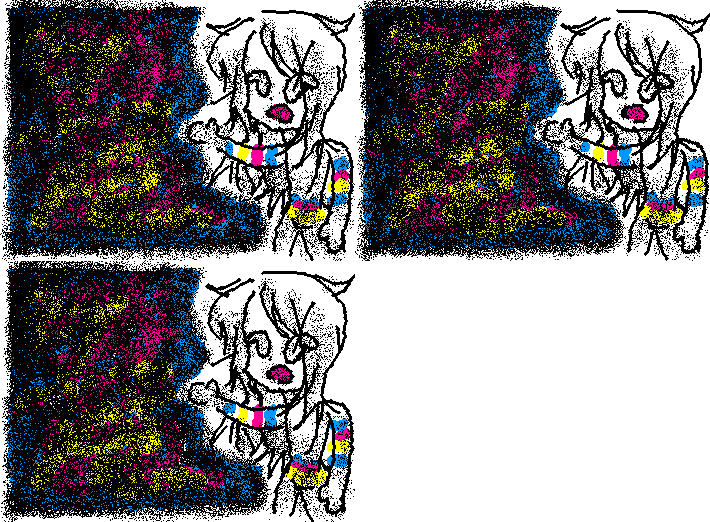
He's starving dude feed him pleaseeee (Krieg if he didn't hate his crew probably)
**like your post**
new wiggly features very cool very handy
For some reason the app didn't save my deck file (unless it ended up in some obscure folder) nor did it properly save my GIF (it's not animated) so I guess I wasted 3 hours of my life
If you attempted to save a .deck file then you should probably search your device for it. Searching for "*.deck" should give you a list of every decker file you have on your device. If you saved the file while your drawing was on screen it'll still be there when you open it again.
(If you find it you can open it with File > Open... here on the web upload, or in your own copy of Decker.)
Well, that's the thing, it seemingly didn't save the .deck file at all when I clicked on "Save As" -> "Save" -> "Save" as I can't find it
[I apologize if anyone gets this reference]