
Linear Spectrum and Oscilloscope Visualizer
Added live audio preview!!!
This update is a big one! Live audio preview has been added!!!
For Linux:
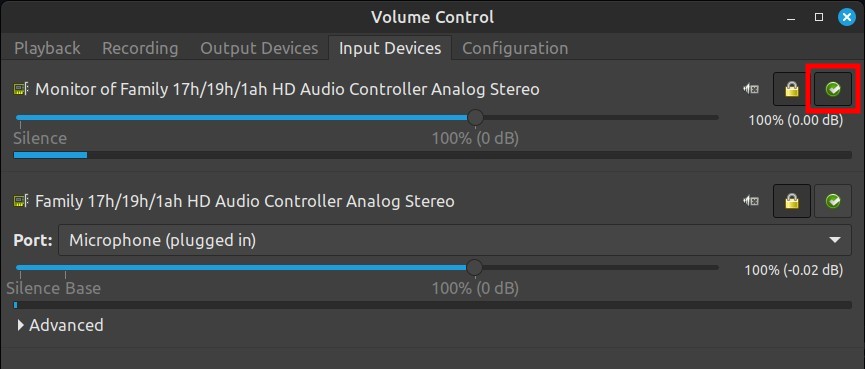
You can select which audio stream you want to visualize with Pavucontrol. Just set that source as fallback in the "Input Devices" tab.
- Set as fallback "Monitor" to visualize Desktop Audio.
- Set as fallback Internal Microphone or your audio interface for actual audio inputs.
For Windows:
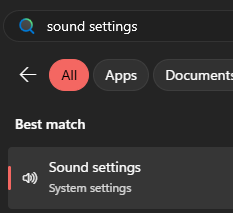
- Search for "Sound settings"
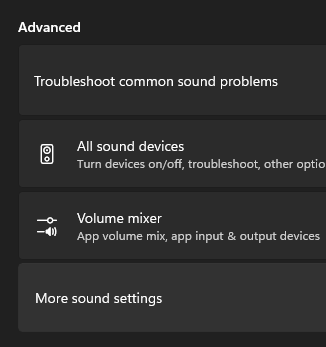
- Advanced -> More sound settings
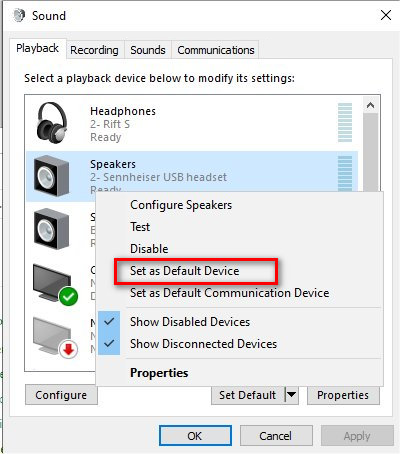
- For Desktop Audio, you can select which audio stream you want to visualize in the "Playback" tab by setting it as default.
- For live microphone input (or any other audio source like an audio interface), go to the "Recording" tab and double click on the device you want to use.
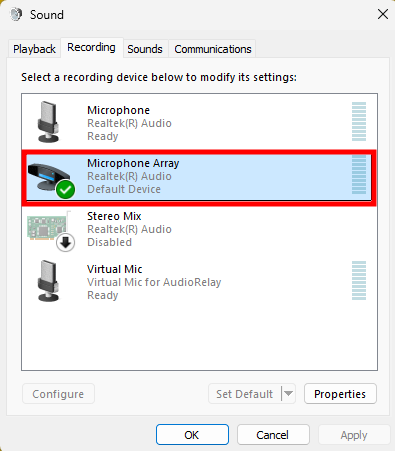
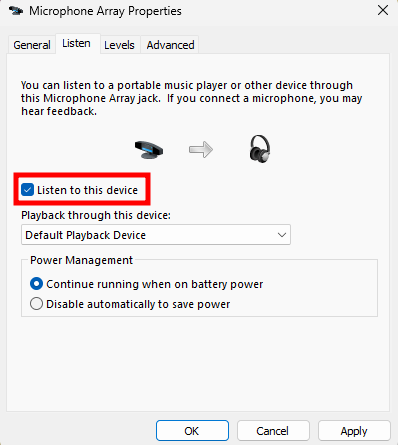
- In the "Listen" tab, check "Listen to this Device" and then press OK/Apply.
Leave a comment
Log in with itch.io to leave a comment.