Sparkle — Game Feel Plugin for Godot 4
Add Sparkle to your game.
Sparkle is a production-grade game feel feedback system for Godot 4. Stack camera shakes, hit pauses, particle bursts, and 31 more feedback types. One play() call fires the whole sequence.
Unity developers have Feel by More Mountains. Godot developers had nothing equivalent. Sparkle is the first.
The Difference
Without Sparkle: your enemy takes damage and disappears. The number ticks down. A particle plays. It works. Nothing feels.
With Sparkle: the same hit shakes the camera, freezes time for 50 milliseconds, sprays a decal burst, flashes the enemy white, spawns a floating damage number, and plays a pitched-random hit sound. Same damage number. Completely different game.
The gap between a prototype and a shipped game is not code quality. It is feel. Sparkle is how you close it.
Key Features
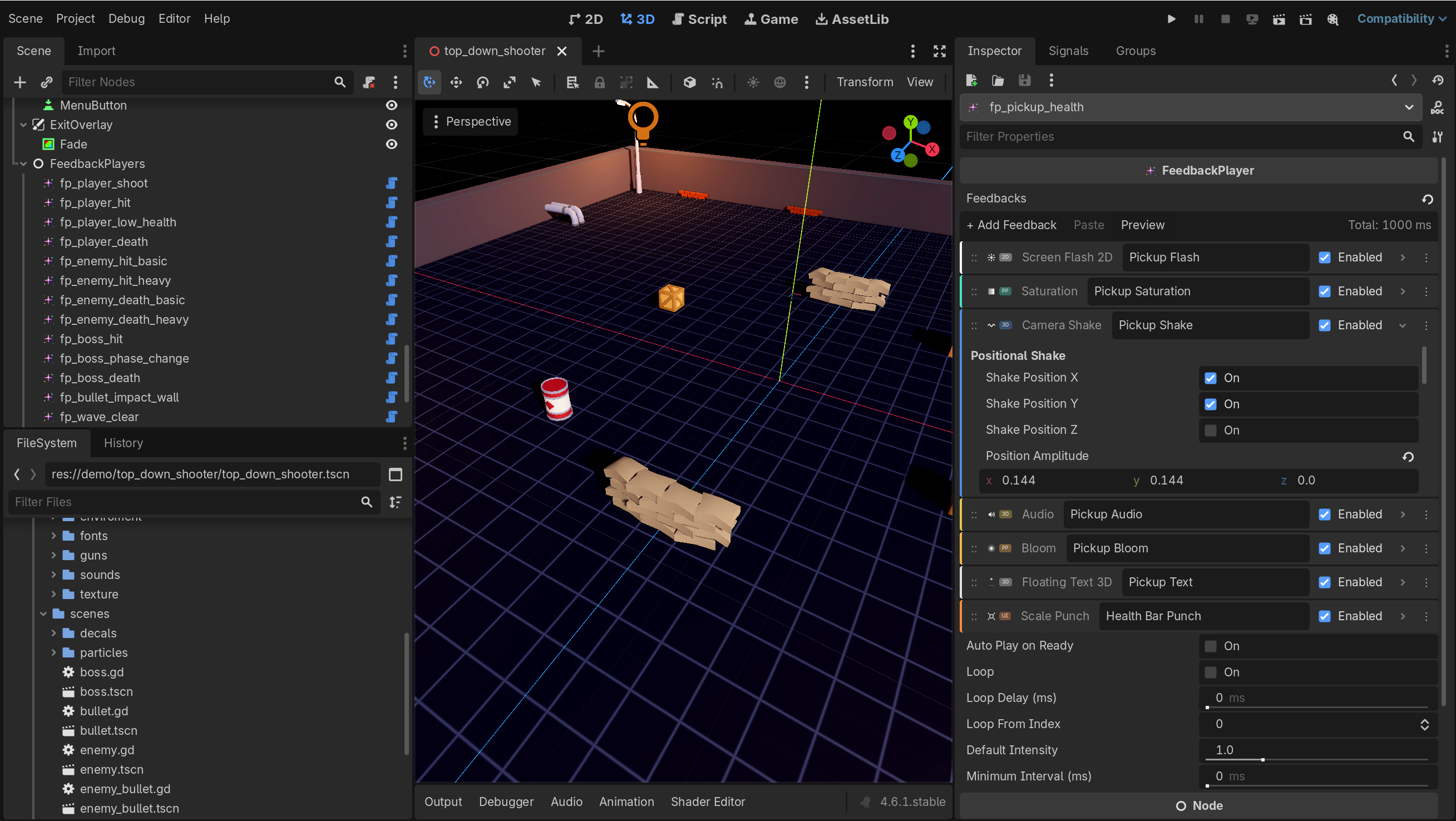
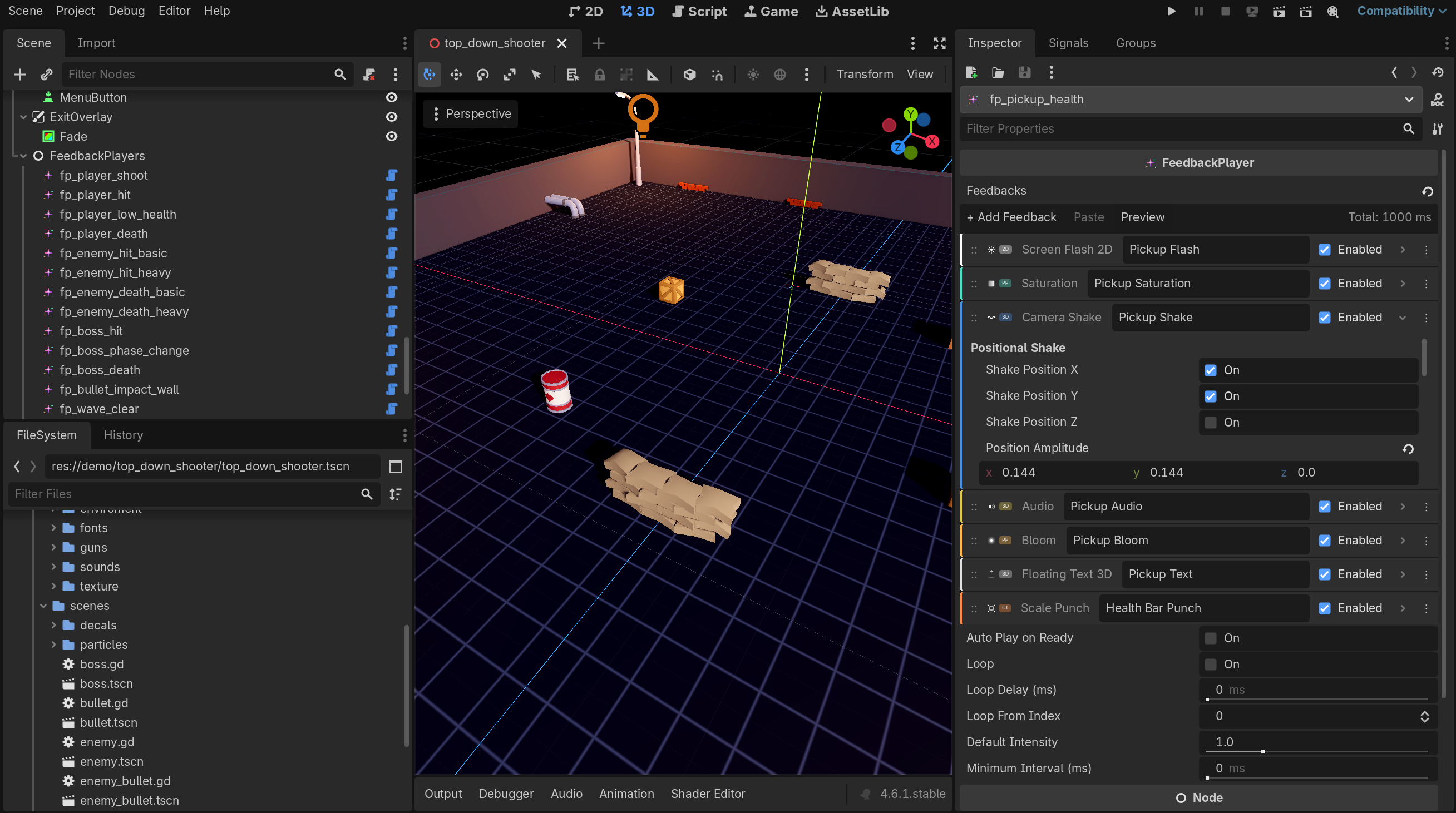
- Visual Scratch-style inspector. Feedbacks stack in a readable list with colored borders, icons, labels, and enabled checkboxes. Complex sequences read like a story.
- Preview without entering play mode. One click fires the entire sequence inside the Godot editor. Camera shakes in the viewport. Particles burst. Iterate at the speed of authoring, not play-stop-play-stop.
- One play() fires everything. No chaining. No callbacks. No manual timing.
- Intensity scaling built in. play(intensity) scales every feedback in the sequence at once. One parameter controls the whole thing.
- Distance falloff on 3D camera shake. Shake intensity falls off with distance between the shake source and the camera. Spatial game feel that 2D systems cannot produce.
- Documented stacking rules per feedback. Every feedback declares whether overlapping calls are additive, max-wins, lowest-wins, or last-starts-wins. No undefined behavior when two explosions overlap.
- Preset system. Save tuned sequences as .tres resources. Load them anywhere. Share across projects. SparklePresets autoload registers presets by name and fires them globally.
- Pooled audio with pitch randomization. No two hits sound identical. No manual AudioStreamPlayer juggling.
- Production hardened. 74 internal checks passed. Zero critical failures. No TODOs. No placeholders. No dead code.
- Zero dependencies. GDScript only. Drop addons/sparkle into any Godot 4.2+ project. Enable the plugin. Ship.
What Is Included
- The complete Sparkle plugin — full source, no obfuscation
- Three playable demo projects — Candy Clicker, Space Shooter, Top Down Shooter
- Documentation covering every feedback type and its stacking rules
- Custom EULA — single-developer license, unlimited commercial and non-commercial projects
See It Working
Play the web demo above. Every demo ships with a Sparkle ON / Sparkle OFF toggle. One click is the clearest demonstration of what this plugin does.
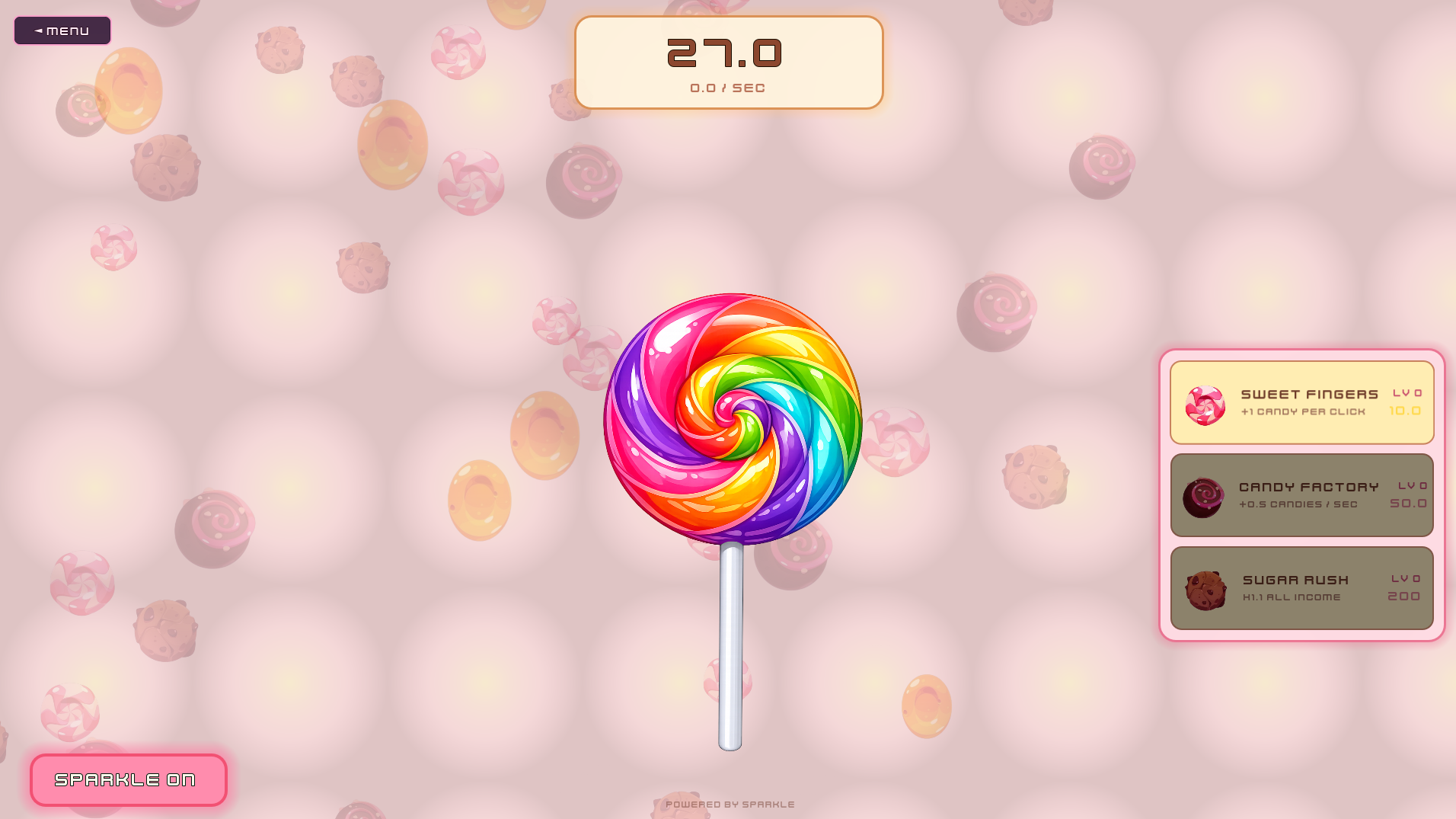
Candy Clicker — UI feedbacks showcase
A cookie-clicker style game where every click, upgrade purchase, and milestone fires a Sparkle sequence. Toggle Sparkle off to see the prototype. Toggle it on to see a game.
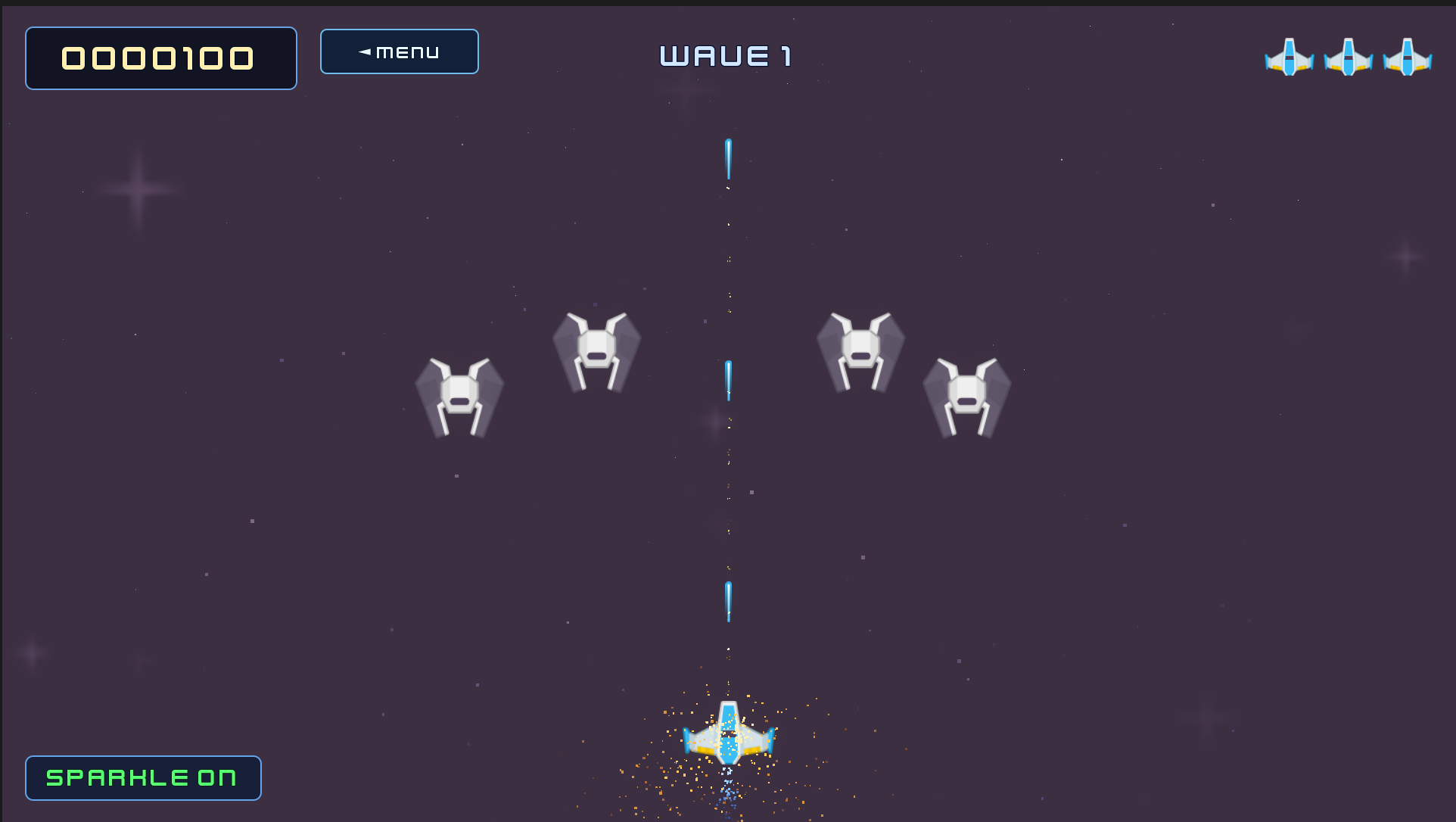
Space Shooter — 2D combat showcase
A pixel-art shooter with enemy explosions, player hit reactions, wave-clear celebrations, and boss death sequences. Full Sparkle integration across every game event.
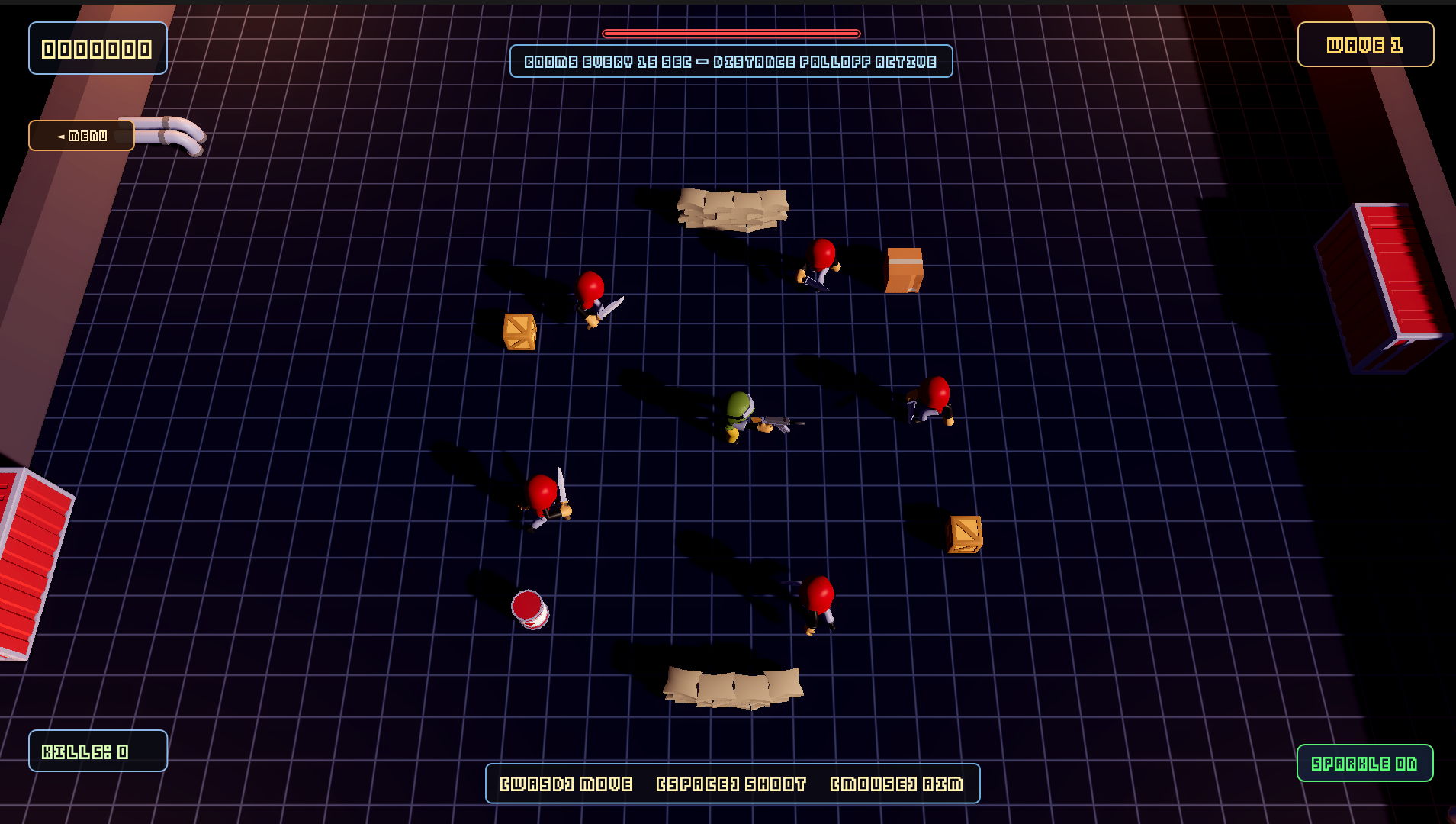
Top Down Shooter — 3D spatial showcase
A toon-art top-down 3D shooter demonstrating distance-falloff camera shake, 3D world-space floating text, decal bursts, light-flash reactions, and post-processing grades.
The Complete Feedback Catalogue
34 feedback types across 5 categories.
3D Feedbacks
- FeedbackCameraShake
- FeedbackHitPause
- FeedbackParticleBurst
- FeedbackChromaticAberration
- FeedbackAudio
- FeedbackLightFlash
- FeedbackFovKick
- FeedbackDecalBurst
- FeedbackFloatingText3D
2D Feedbacks
- FeedbackCamera2DShake
- FeedbackScreenFlash2D
- FeedbackZoomPunch2D
- FeedbackParticleBurst2D
UI Feedbacks
- FeedbackScalePunch
- FeedbackShakeControl
- FeedbackColorFlash
- FeedbackTransparencyFade
- FeedbackTypewriter
- FeedbackFloatingText
- FeedbackCanvasShake
Post Processing
- FeedbackBloom
- FeedbackSaturation
- FeedbackColorGrading
- FeedbackVignette
Universal Control Flow
- FeedbackWait
- FeedbackSequenceGroup
- FeedbackLoopNTimes
- FeedbackConditional
- FeedbackRandomOneOf
- FeedbackCall
- FeedbackTweenProperty
- FeedbackTransform
- FeedbackSetActive
Technical Requirements
- Engine. Godot 4.2 or newer
- Language. GDScript only
- Platforms. Every platform Godot supports
- Dependencies. None
Honest Limitations
- C# is not supported at launch. GDScript only. You can call FeedbackPlayer.play() from C# through Godot's scripting bridge but authoring and extending feedbacks requires GDScript.
- No graph editor yet. Feedbacks stack as a list not a node graph. A graph view is on the roadmap.
- Additional feedback types planned for v1.1 including expanded 3D text options.
Sparkle is production-ready for GDScript projects today. If C# is a hard requirement this is not the right tool yet.
Where Sparkle Comes From
Sparkle was built by Neohex Interactive for an in-development commercial MMO. Released as a plugin because no equivalent existed in the Godot ecosystem. Every feedback in this plugin solves a problem that came up in a real game.
Pricing
$20. One-time purchase. $15 launch price for the first two weeks.
- One developer license
- Unlimited commercial and non-commercial projects
- No royalties. No per-seat fees. No revenue caps
- Future v1.x updates included at no additional cost
For context: Unity's Feel by More Mountains sells for $45 and is the category standard in that ecosystem. Sparkle covers the same ground for a half of the price, built specifically for Godot 4.
FAQ
Does Sparkle work with C#?
Not at launch. GDScript only. You can call FeedbackPlayer.play() from C# through Godot's scripting bridge but authoring feedbacks requires GDScript.
Can I use Sparkle in commercial games?
Yes. Single-developer license permits unlimited commercial use. No royalties. No revenue caps. Credit appreciated but not required.
Will Sparkle hurt my performance?
No. Audio is pooled. Particles are GPU instanced. Post-processing feedbacks modulate existing environment resources. Every feedback can be disabled individually. Designed for combat loops where dozens of feedbacks fire per second.
Can I extend Sparkle with my own feedback types?
Yes. Feedbacks are GDScript resources that extend a base class. Implement a handful of methods and your custom feedback appears in the inspector alongside the built-in 34.
What happens when Godot updates?
Sparkle v1.x tracks Godot 4.x for the supported lifetime of the plugin. If a Godot release breaks compatibility a patch ships.
Purchase
In order to download this addon you must purchase it at or above the minimum price of $15 USD. You will get access to the following files: