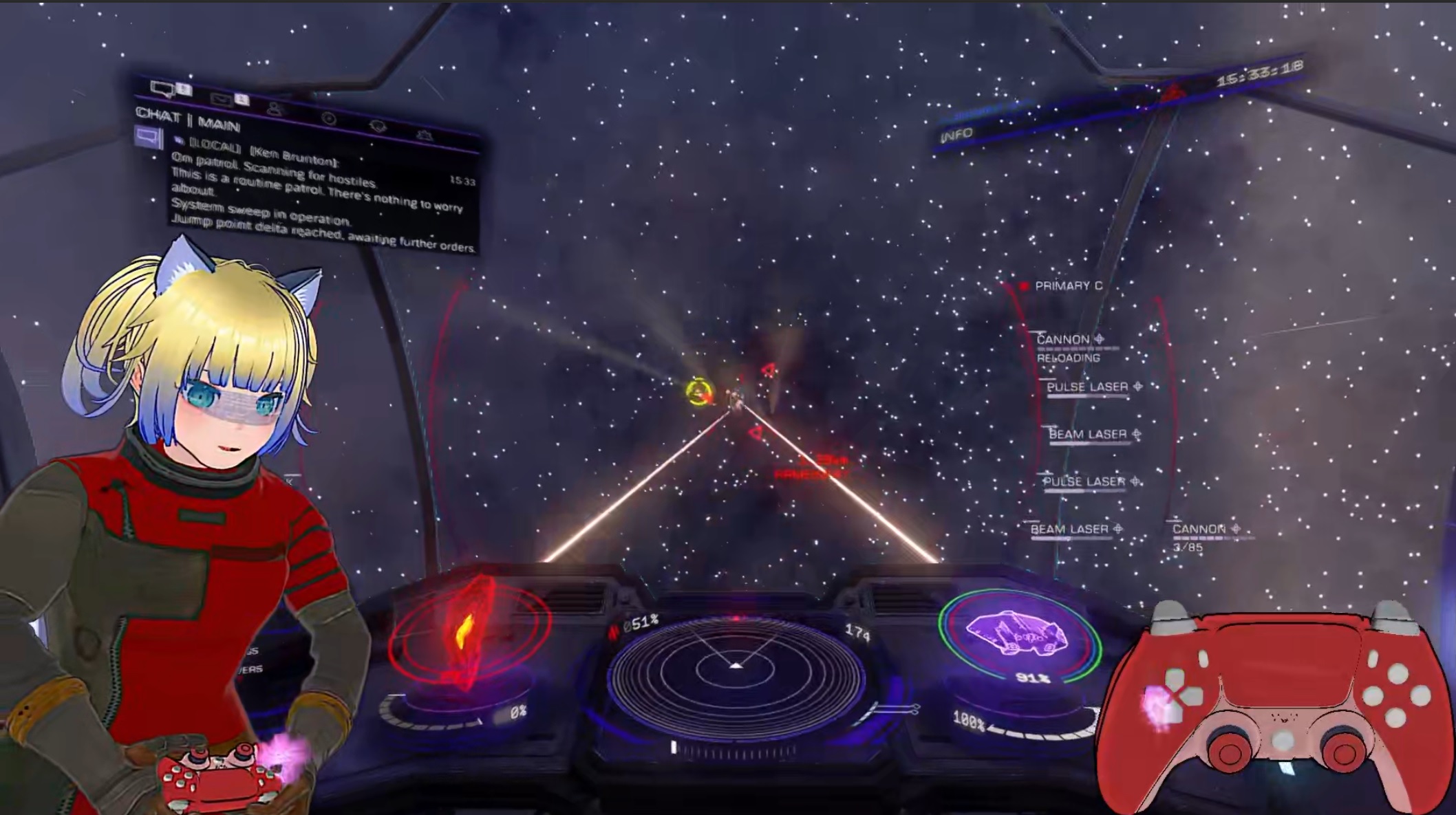
VRMoveTime 4.21!
A downloadable VTuber App
StbSharp日本語のリリースはこちら:https://faxanadus.booth.pm/items/6152607
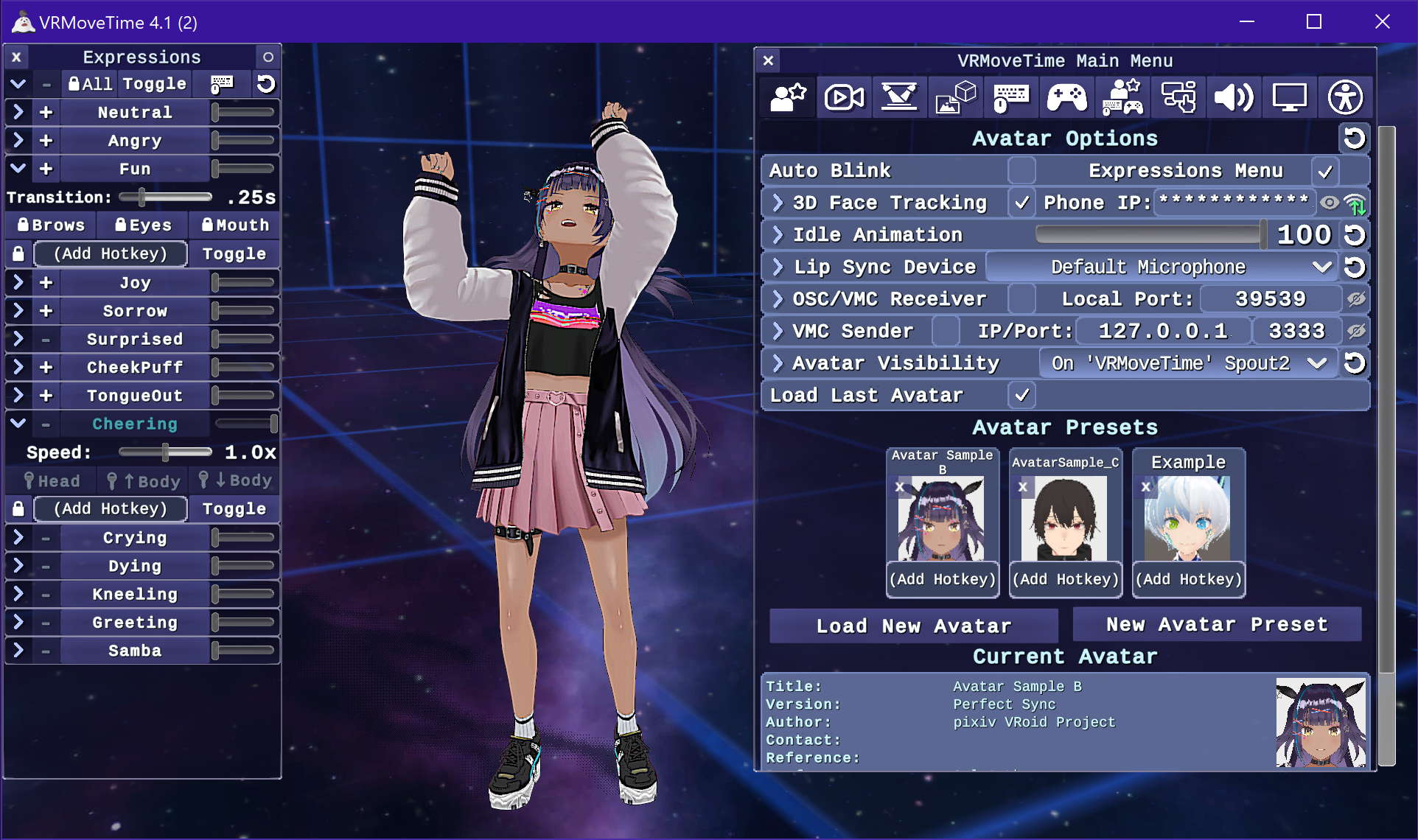
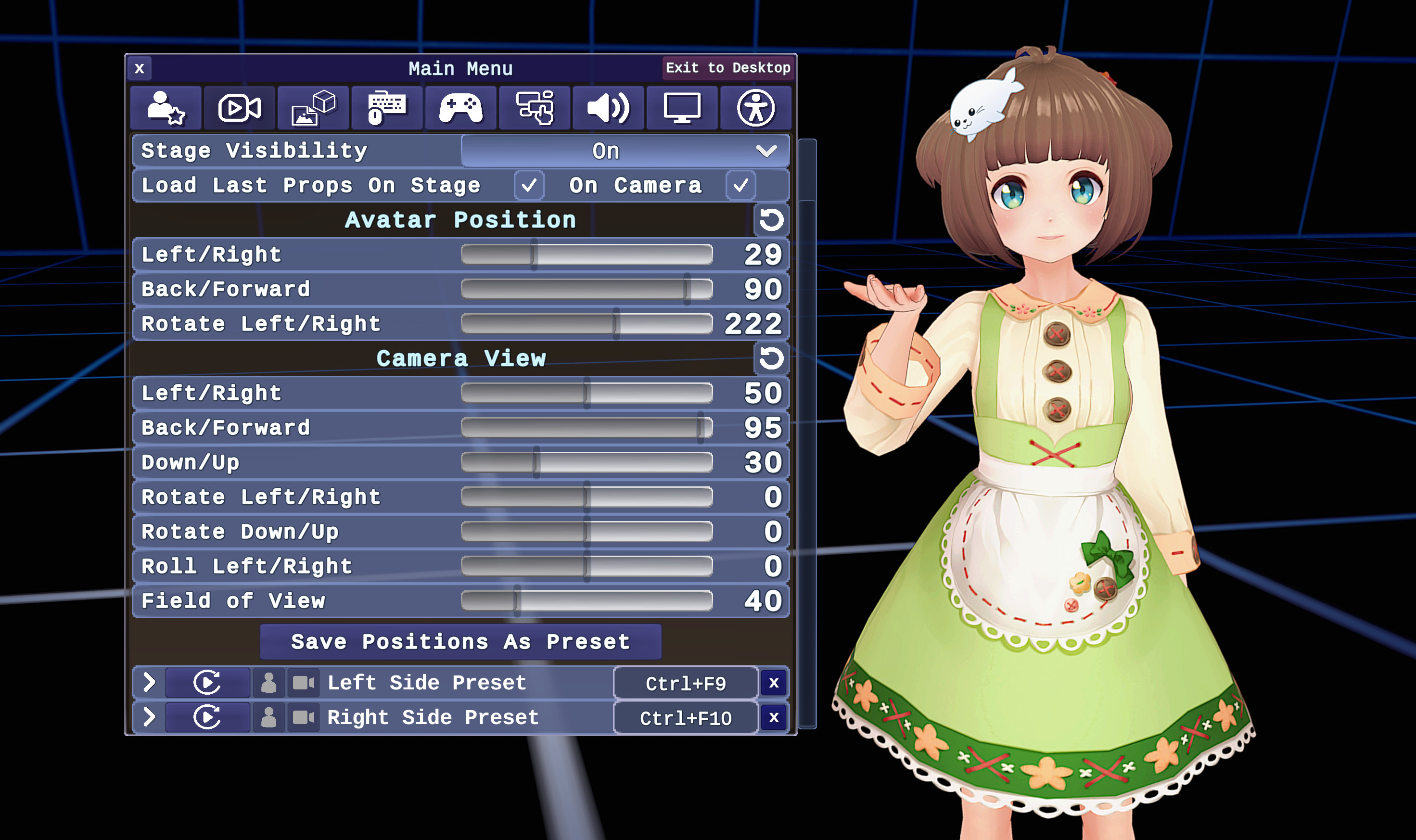
An application for VTubers that combines seamless 3D-movement and animations together with face/body tracking, toggle-able props, camera and avatar position presets, and customizable hotkeys for everything! The download includes two sample avatars with "Perfect Sync" expressions already added.
There is a VRMT/streamer support Discord server now! Join at https://discord.gg/uHpae55WFt
There's also a brand new homepage at https://bigseal.com
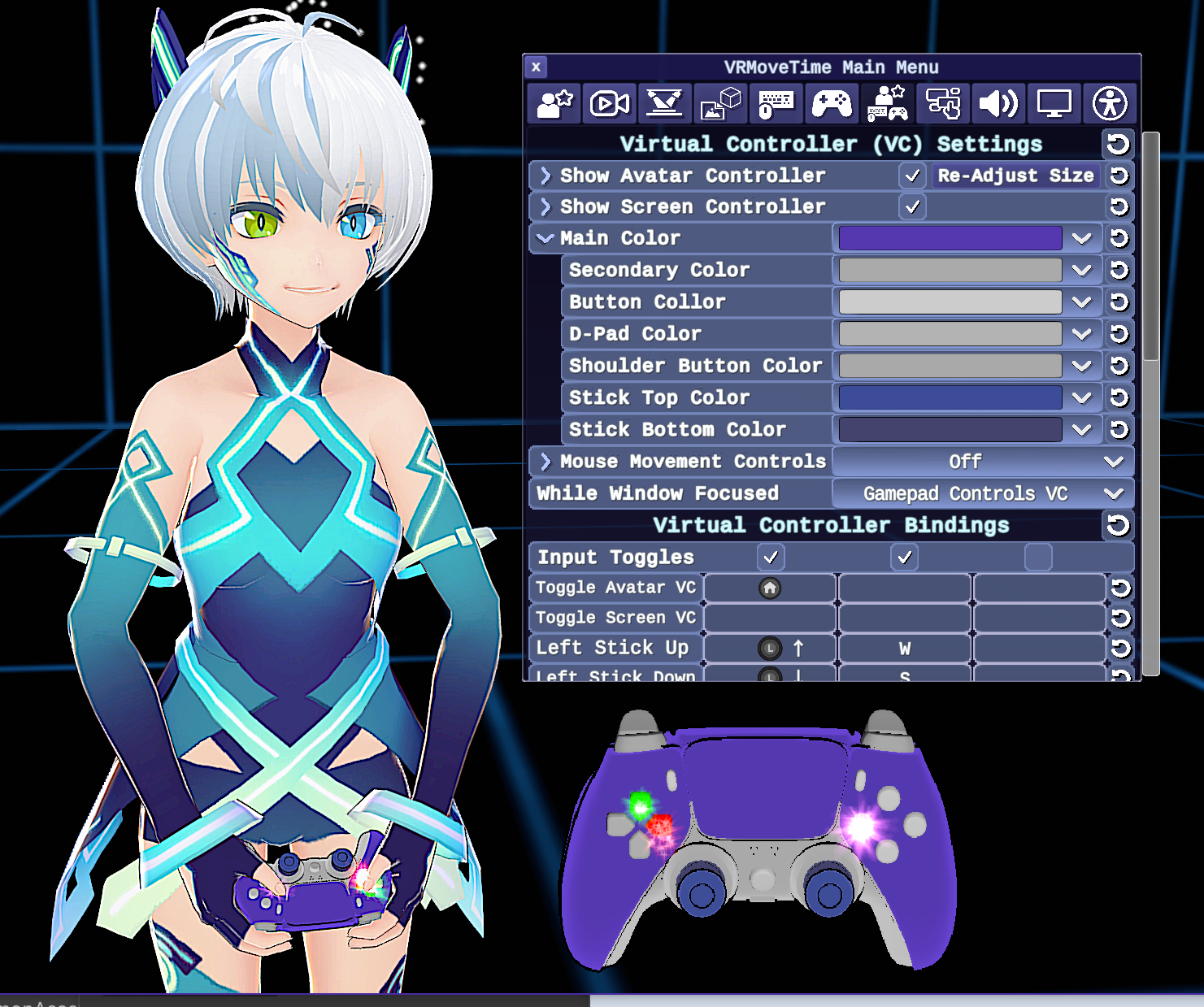
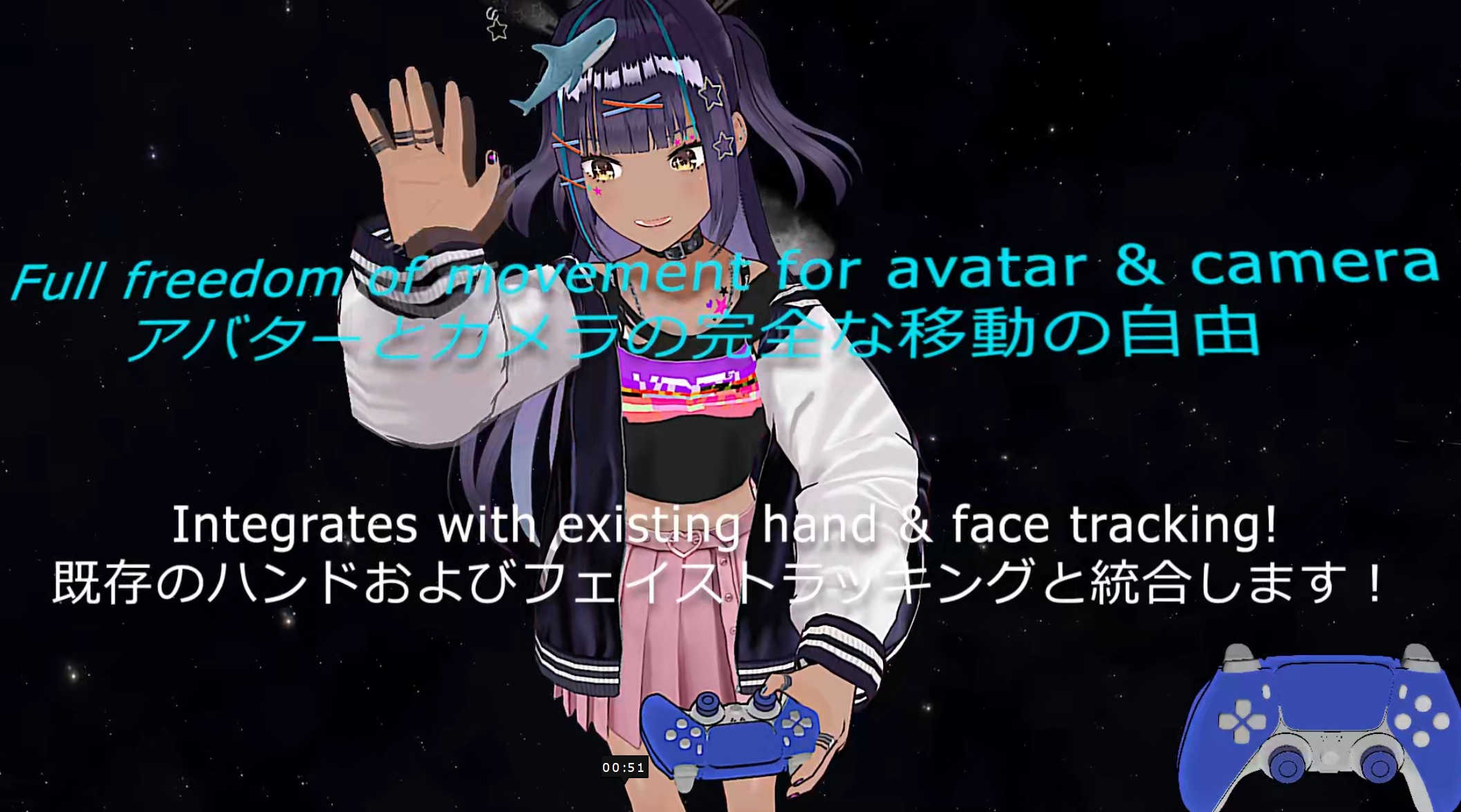
VRMT now includes direct support for iPhone/Android 3D Face Tracking apps: iFacial Mocap and FaceMotion3D (iPhone), VTube Studio (iPhone & Android), and MeowFace (Android). It also includes Virtual Controllers both for the avatar (which uses inverse kinematics to have them actually push the same buttons you're pushing) and one for the camera/screen. See the 3.0 release video below for a demonstration:
Here is the initial release video which describes how to use all the basic features:
4/20/2026 Version 4.21
Bugfixes and a few additions!
Additions:
- - Loading new images for stickers now supports all of these file formats in addition to the already supported PNG, JPG, and GIF: WEBP, PST, TGA, BMP, and ZLIB.
- Big thanks to netpyoung / unity.webp for the webp support and
StbSharp / StbImageSharp for the all the rest! - Added in a fancy boot-up sequence for the VR room.

Fixes:
- Fixed an issue that was causing face tracking from external apps (VSeeFace, etc.) to not work through the OSC/VMC receiver. Thanks to twitch.tv/karacorvis for finding this one and the next one too:
- Fixed the windows maximize button (in the upper right) from being used when Window Resizing was on but Lock Aspect Ratio was also on.
- Fixed a long standing issue of the avatar image sometimes not showing up on the Spout2 display when swapping between post process anti-aliasing modes.
- Fixed the Maximum Resolution cap from being applies when you manually maximize the window size. Maximum Resolution has been changed to Max Scaled Resolution and only applies when using resolution scaling above the current window size.
- Fixed post processing effects not showing up in the main window (but showing up in Spout2, etc) when Post Process AA was set to FSR3 or DLSS.
- Fixed Color Picker controls (for selecting colors like for the virtual controllers buttons) not properly saving their colors on restart
4/20/2026 Version 4.20 'Total Coincidence! (legalize all plants) ' Released!
Main New Features:
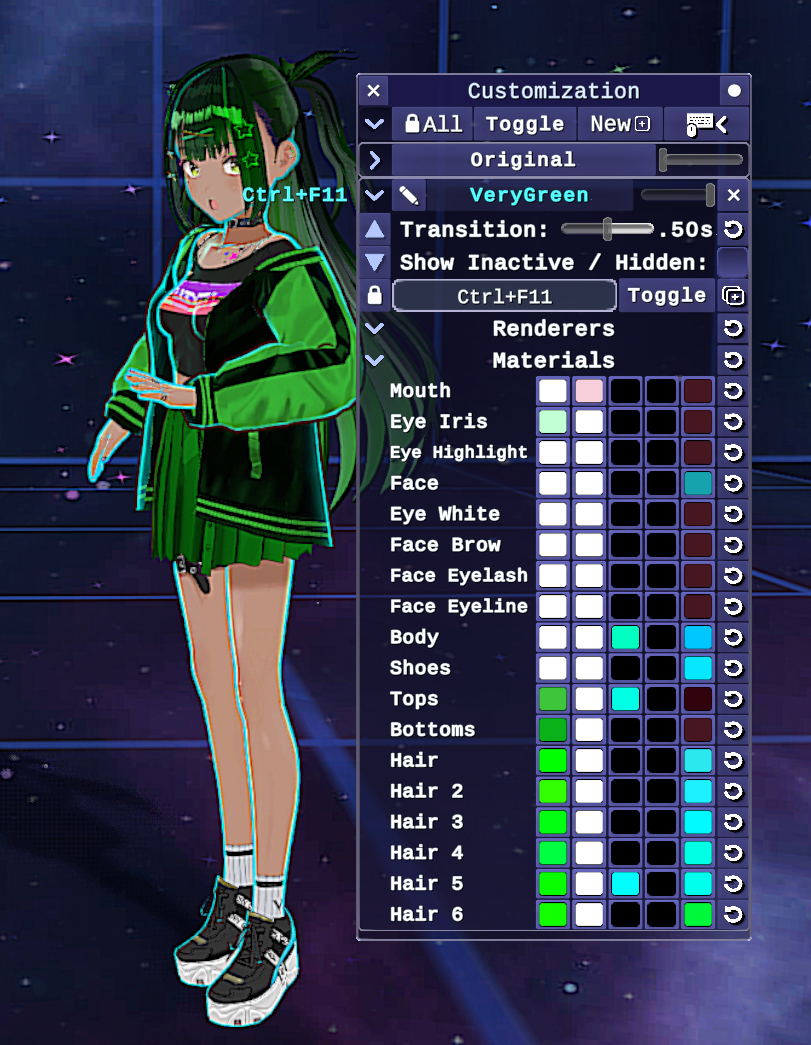
-New Customization Menu to alter your avatar after import, currently includes colors, most material properties (outlines, texture de-saturation/grayscale, lighting and shadows, etc.) Also enables toggling outfit parts (renderers) and will later include the ability to modify avatar proportions and hair/cloth physics. Note that the only limitation to this feature is if you are using shaders with locked properties on your VSFAvatar model, such as Poiyomi. Poiyomi shader properties that match those on VRM MToon shaders will need to be set to "Animate while locked" before exporting your model.
-Virtual Camera support so you can share you avatar with friends via Discord or while streaming OBS with https://vdo.ninja
-Completely re-optimized code that's also been re-compiled into C++ via the IL2CPP compile. This mean the app now runs on native machine code, which can make certain math functions run significantly faster.
Other Additions:
- Enabled Fast Spring Bone jobs for all model types, so models a lot of hair and cloth physics should run with significantly less performance overhead. With VSFAvatar models, outfit swaps that toggle VRMSpringBone components for performance will also toggle the corresponding FastSpringBone job.
- Hue Shift with a customizable speed setting to shift colors over time (shown in the video above)
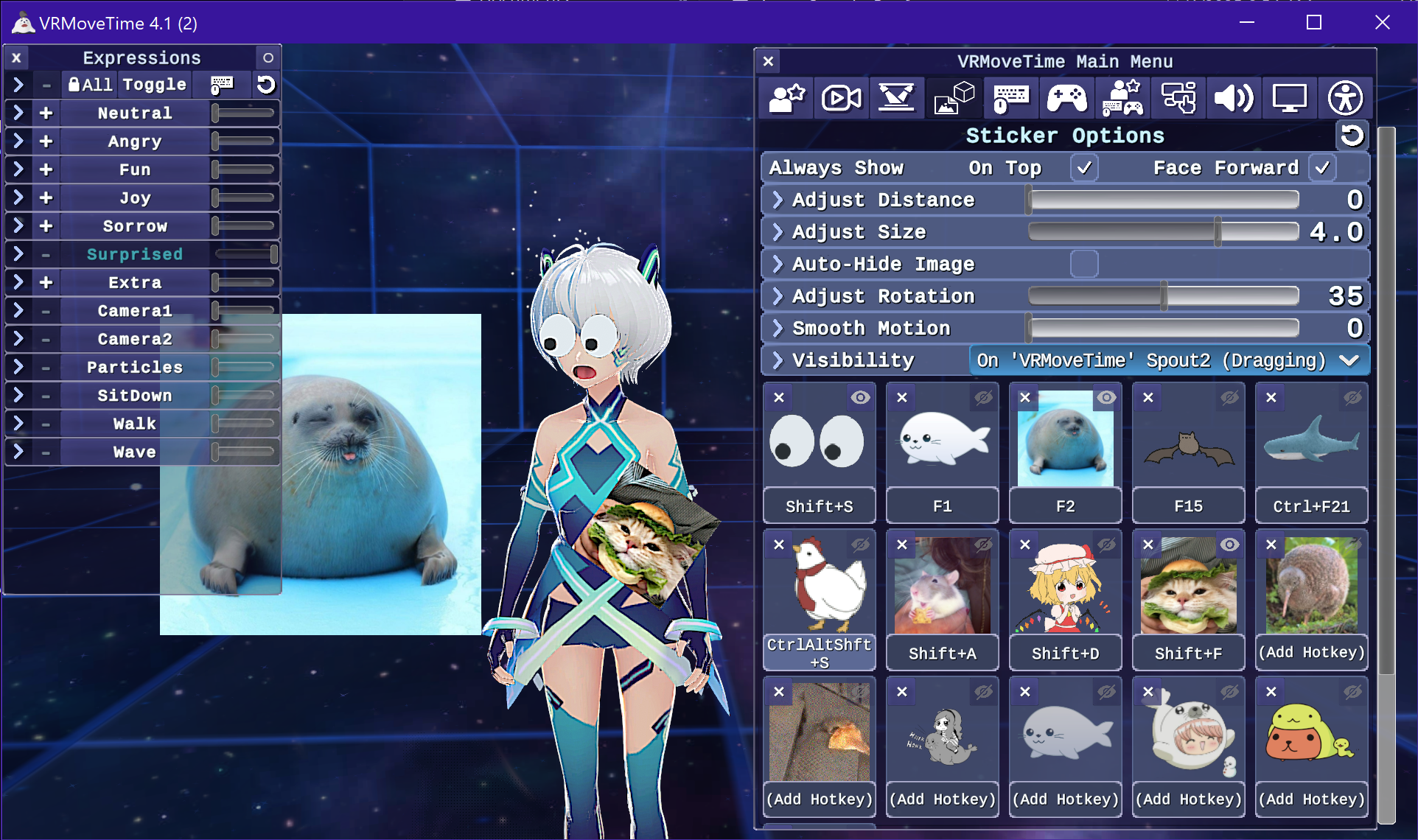
- Stickers will now attach to any part of the model, including hair!
New sticker special effects: Pulse and Spin, with a new control to adjust the intensity of all effects simultaneously - Stickers can now be hidden individually and dragged while hidden. Default binding is 'H' with new menu buttons for convenience
- Comes bundled with the OBS Spout2 plugin (and source code ) to easily get video with background transparency working in OBS for streaming
- Loading of all avatar types, stickers, expressions, and customization data is now done asynchronously
Fixes:
-Fixed External tracking (via OSC/VMC) being jittery that was introduced in 4.1
-Fixed position presents to have the avatar properly face the camera or turn towards their destination regardless if Avatar Strafe Movement is activated or not
-Fixed the Esc key not properly cancelling gamepad rebind prompts
-Fixed the Transition slider not showing up for VSFAvatar animations when expression Toggle/Hold/Auto modes are changed for the expression, so now the speed, duration, and transition for animations can be customized.
4/5/2026 Version 4.12
Bugfixes and two new features:
- Added three new sliders under 3D-Face Tracking/Head Tracking/Movement Range: Left/Right, Up/Down and Forward/Back that let you customize the range of movement for each axis:
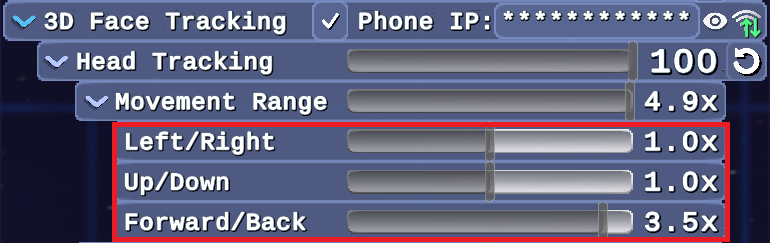
- These sliders were added because people noticed that VTubeStudio tracking had much less pronounced Forward/Back movement, meaning their avatar wouldn't lean towards the screen as much as their head moved close/away to the camera.
- Fixed the new UI animations not applying properly to sub options
- Fixed position preset camera movement ending early if the avatar had reached their destination before the camera did
- Fixed the Lip Sync Microphone not updating properly if a device was unplugged then plugged back in
- -Added a third option for Position Preset avatar movement, where if the avatar movement toggle is clicked a second time, it will allow the avatar to turn and face towards their destination, with the default option now being for them to face the camera while moving:

3/30/2026 Version 4.11
Quick fix for position presets:
- Fixed position preset's camera virtual controller button to save their active states properly on restart
- Allows all of the position preset toggles (move avatar, move camera, show camera & avatar virtual controllers) to be deactivated at the same time if needed
- Made the automatic movement animations and turning look at bit smoother
- Fixed the Spout2 display in OBS sometimes not refreshing after Post Process Upscaling/Advanced AA mode was changed and the OBS source was set to "Use first available sender"
3/28/2026 Version 4.1
-Major bugfix and optimization update that also upgrades the graphics on level -1!
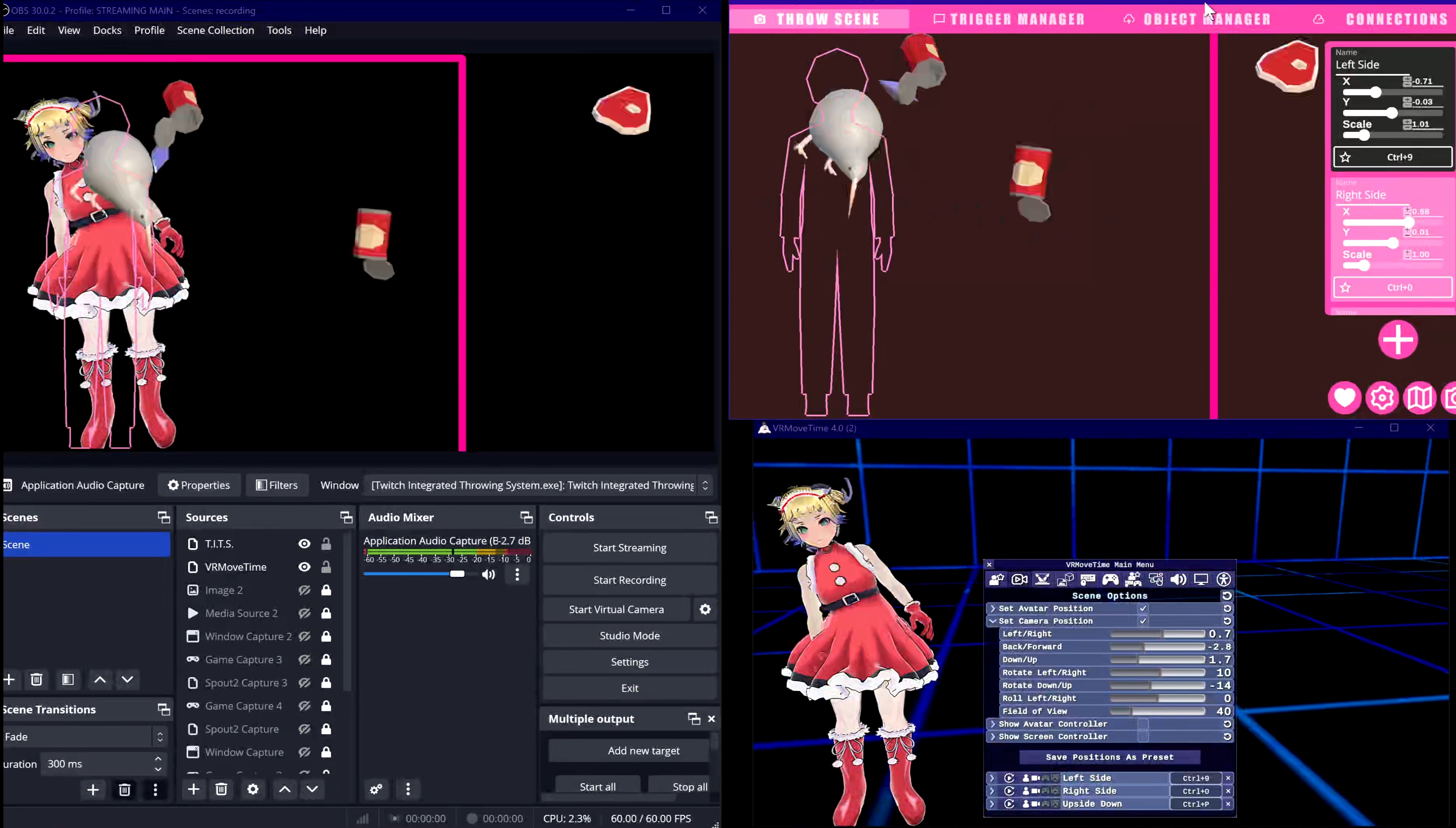
-Ensured full compatability with the Twitch Integrated Throwing System (T.I.T.S.).
To get it working, you just need to enable the "VSeeFace" integration in T.I.T.S., and make sure the OSC/VSC Receiver option is checked in VRMoveTime with the default port. You can use position presets (Scene Options/2nd tab in VRMT) and scenes menu hotkeys in T.I.T.S. to ensure your avatar is in the right position to be hit by stuff within OBS. Here's a video that shows how it works:
-Added in UI animations, and new graphics for the stage and background. Each other these can be turned on and off in the Interface or Stage sections of the main menu.
-Added an FPS & RAM counter courtesy of Tayx94 / graph, which can be activated through the Interface options or with the Pause/Break key by default.
- Optimized the polygon count of the avatar and screen virtual controllers by more than 50%, which shouldn't be noticeable.
-Optimized the the input scripting of the virtual controllers by about 50% by having one controller copy its values to the other controller.
-Optimized the user interface by eliminating unnecessary graphic raycast targets.
-Optimized VSFAvatar loading to maintain the current avatar when reloading the same one, and immediately cleaning up previous avatar data when loading different ones.
-Optimized the sticker/image highlighting system by just disabling it when nothing is selected/highlighted.
Fixes:
-Added smoother transition when tracking is lost back to the base position, which was needed as VTubeStudio doesn't apply automatic smoothing on re-establishing tracking, so there was an instant snap back to the new position.
-Fixed the screen virtual controller sometimes not displaying when the resolution is changed
-Fixed the = key not working for global input hotkeys (it was being received as + rather than =)
-Fixed Arm Sway being active when the avatar is holding the virtual controller
-Fixed avatar movement during position presets to respect whether you have avatar strafe controls on or not
-Fixed the mouse wheel not properly adjusting the size of prop images/stickers
-Fixed gamepad stick axis not being able to be re-bound
-Fixed input fields to allow negative numbers for slider options that go below 0
-Fixed the hotkey rebinding process to not trigger their own hotkeys right afterwards
-Added in some code to ensure resiliency of global input & hotkeys
Main Features:
- 3D(ARKit)-Face tracking from phone apps such as VTubeStudio (iPhone & Android), iFacialMocap & FaceMotion3D (iPhone)
- Movement in 3D-space with animations for walking, running, dodge rolling, jumping, flying, crouching/crouch walking (and others)
- Ability to individually adjust avatar material colors and outfits in the app without having to export and re-import
- Face/Body tracking via motions sent from applications such as VSeeFace, Warudo, or VNyan (via their OSC/VMC options, or the VNyan JayoVMC Plugin)
- Supports VRM0, VRM1 and VSFAvatar formats
- Free camera movement with programmable presets for the camera and avatar positions, with global hotkeys to return to each position
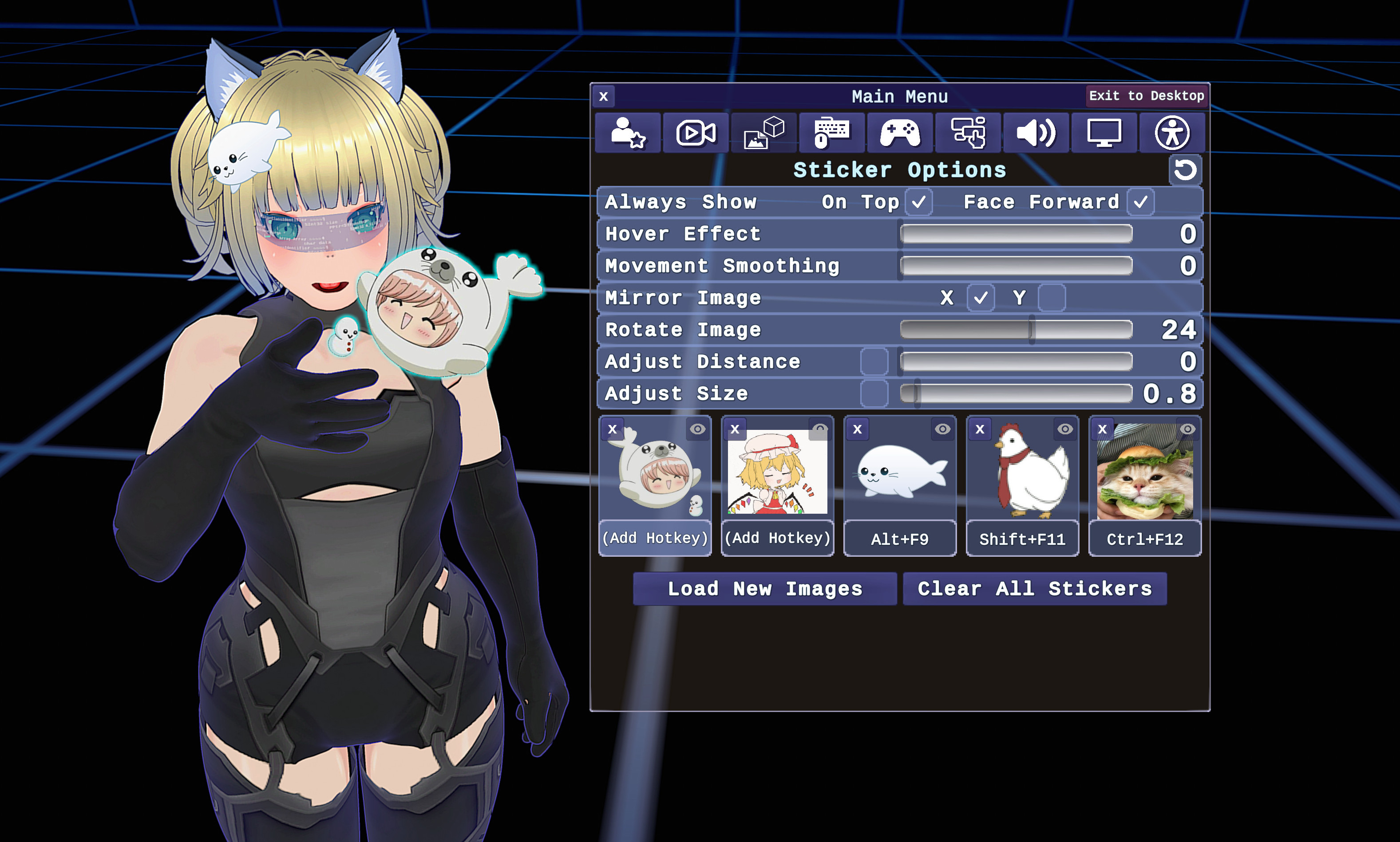
- 2D Props (stickers) place-able on on the avatar or background that can be picked up and dragged, rotated, resized, made to hover or slowly follow the character. Supports png, jpg, and animated gifs and can load in multiple images at once into presets. Includes customizable global hotkeys to disable or re-enable each image.
- Projecting your avatar and props into OBS with background transparency via the OBS Spout2 plugin
- Advanced anti-aliasing and post-processing effects including DLSS, Temporal Anti-Aliasing and resolution upscaling to make your avatar look better than ever!
- Fully re-bindable controls for keyboard and gamepad with toggle-able global input
- English, Spanish, and Japanese translation and a customizable interface
Planned Features:
- Ability to adjust hair/cloth (VRMSpringBone) physics after loading an avatar, with more advanced additions such as inertial dampening with randomization to allow hair physics to look more realistic during avatar movement.
- 3D props and backgrounds via importing pre-made asset bundles or objects from 3D modelling applications, with customizable physics for each object
- Programmable scripted sequences, such as summoning creatures or enemies that can be fought or otherwise interacted with.
- Collaboration between multiple Vtubers in the same 3D space via network connectivity
- Emotes and custom animations, both through an included set or through importing new animations
- Alternate sets of animations for movement, included in the app and user-importable
- Direct webcam, and LeapMotion tracking
- More languages translation options
External Face/Body Tracking App Links:
VSeeFace - https://www.vseeface.icu
VNyan - /itch/suvidriel/vnyan
VNyan OSC/VMC Plugin - https://github.com/jayo-exe/JayoVMCPlugin
Warudo - https://warudo.app/#download
Other Links:
VRoid Studio - https://vroid.com/en/studio (Create your own basic 3D VTuber avatar)
VGen - https://vgen.co/Faxanadus (Have someone like myself create or customize an advanced 3D VTuber avatar or VTubing art! )
Devlog updated below with new features and fixes! For bug reports and feature requests, please message me at https://bsky.app/profile/faxanadus.com
Download
Click download now to get access to the following files:
Development log
- 4/20/2026 Version 4.20 'Total Coincidence! (legalize all plants) ' Released!11 days ago
- VRMoveTime 4.1! Major graphics, optimization, and bugfix update. Also ensures...34 days ago
- VRMoveTime 4.0 Release - Now with 3D face tracking!62 days ago
- 10/3/2025 VRMoveTime Version 3.41 - Minor Fix and Security Update:Oct 03, 2025
- VRMoveTime 3.4 Minor Feature Update! マイナーな機能アップデート!Sep 26, 2025
- VRMoveTime 3.3 Optimization and Bug Fix version! [最適化とバグフィッ...Aug 20, 2025
- VRMoveTime 3.2 Update (Additions and Fixes)May 21, 2025
- VRMoveTime 3.0 Release - 4/26/25Apr 26, 2025